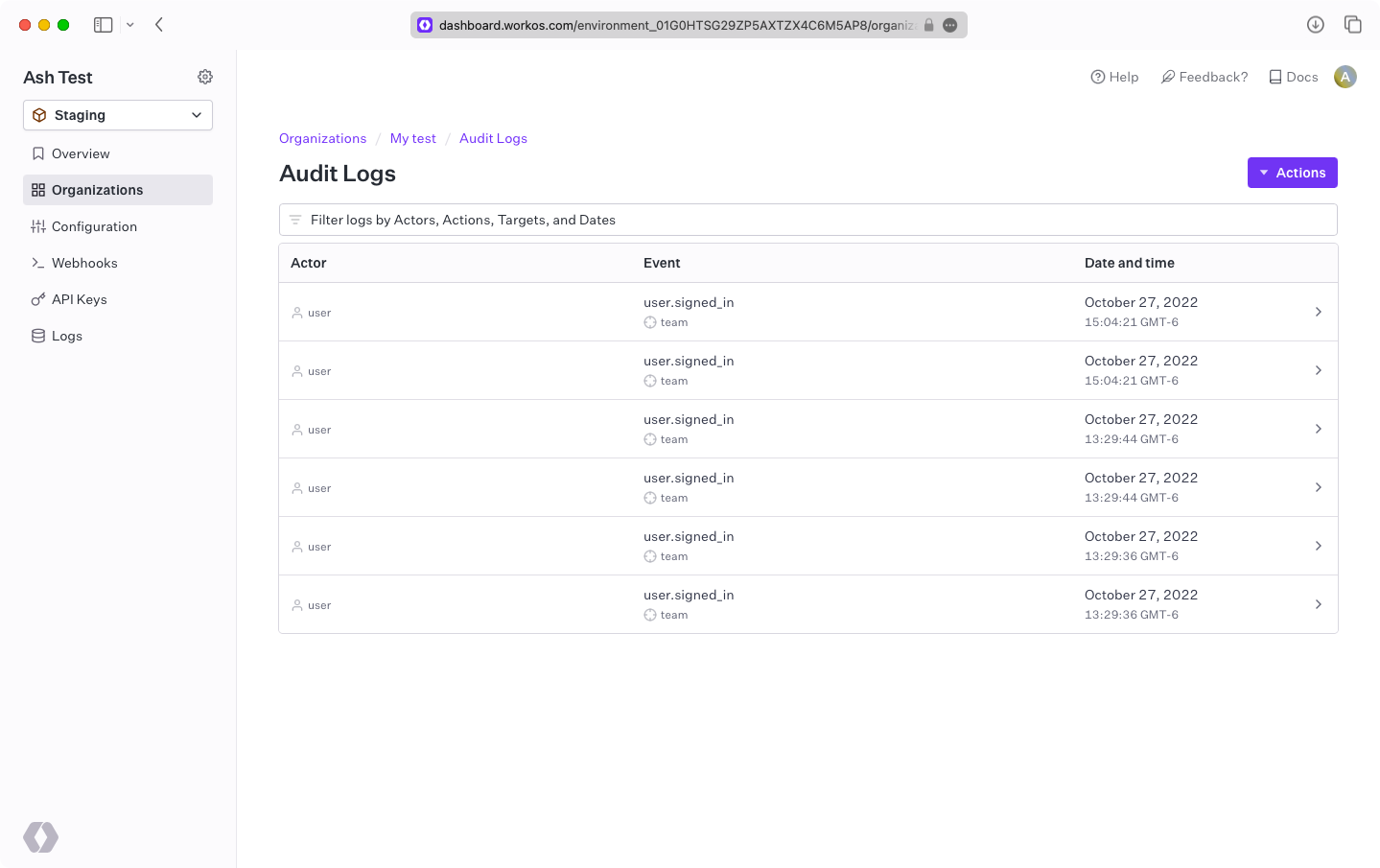
Audit Logs
Ingest and export Audit Log Events from your application.
Audit Logs are a collection of events that contain information relevant to notable actions taken by users in your application. Every event in the collection contains details regarding what kind of action was taken (action), who performed the action (actor), what resources were affected by the action (targets), and additional details of when and where the action took place. For example:
These events are similar to application logs and analytic events, but are fundamentally different in their intent. They aren’t typically used for active monitoring/alerting; rather, they exist as a paper trail of potentially sensitive actions taken by members of an organization for compliance and security reasons.
Follow this guide to:
- Configure and emit Audit Log Events
- Export Audit Log Events
- Create custom metadata schemas for Audit Log Events
- Create new versions of Audit Log Event schemas
Install the WorkOS SDK for your language. Choose a language below to see the appropriate instructions.
Store your API key and client ID as managed secrets, such as WORKOS_API_KEY and WORKOS_CLIENT_ID. Pass them to the SDKs either as environment variables or directly in your app’s configuration.
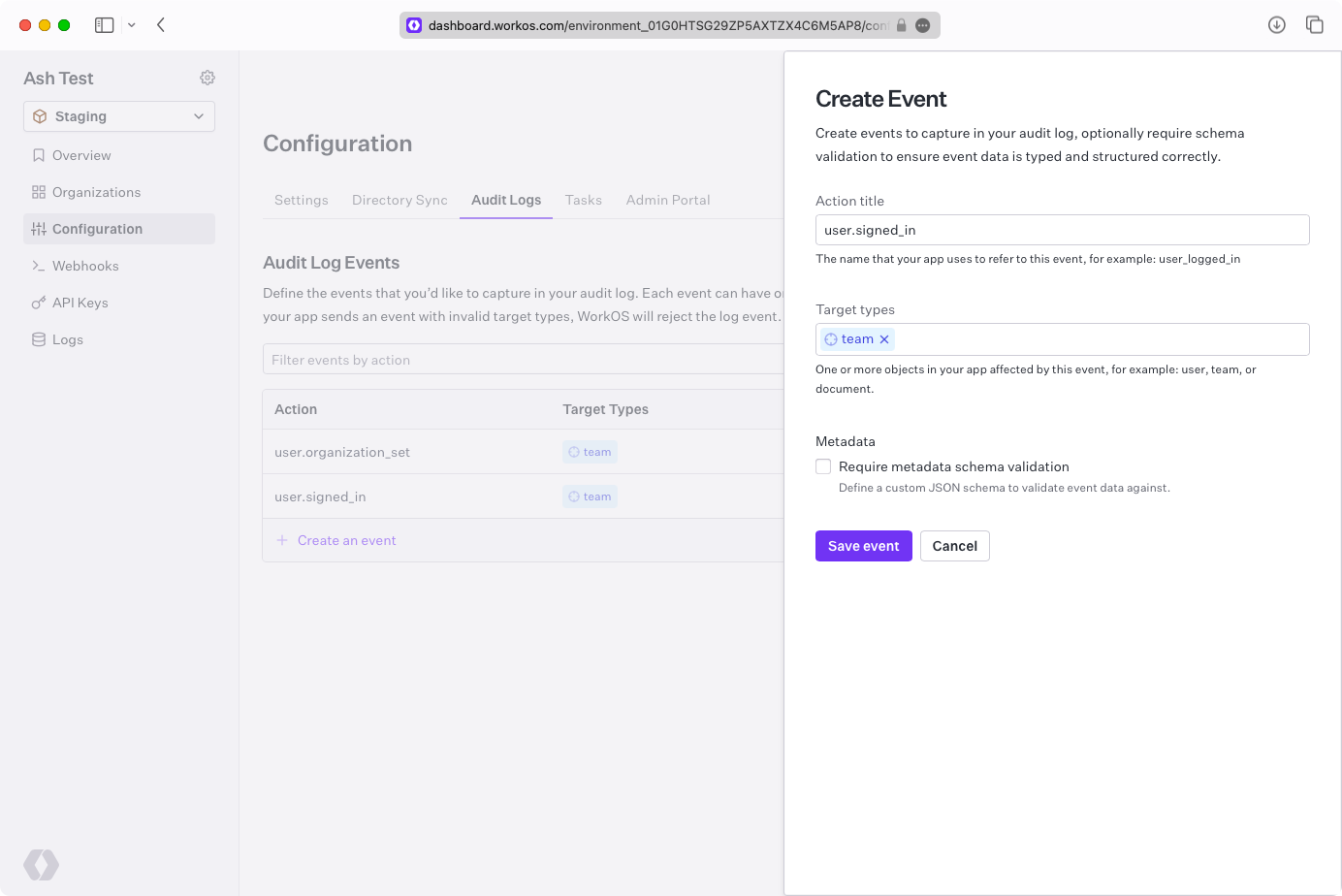
Configure the allowed event schemas before emitting any Audit Log Events. Sign in to your WorkOS Dashboard, click “Create an event”, enter user.signed_in for action and team for targets, then click “Save event”.
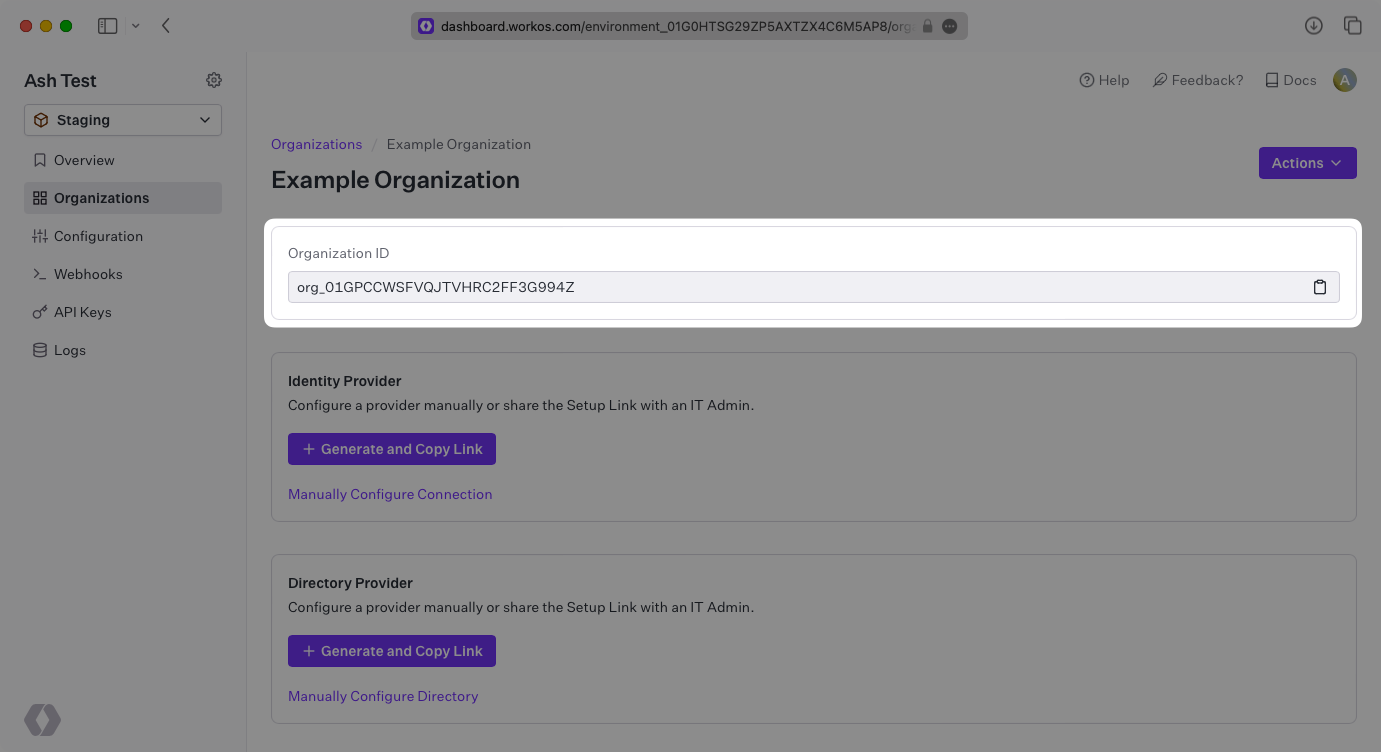
Retrieve the ID of an Organization from the Dashboard. All events are scoped to an Organization, so you need this ID to emit events.
Use the Organization ID to emit an Audit Log Event with the action and targets you configured earlier.
Idempotency
Provide an idempotency-key header with your event creation request to prevent duplicate events when retrying requests. If you omit this header, WorkOS automatically generates a key based on the event content.
When you provide an idempotency key:
- WorkOS creates a hashed key combining your provided key with the event data
- Subsequent requests with the same idempotency key and event data return the same response
- This prevents duplicate events from network retries or other issues
When you omit the idempotency key:
- WorkOS automatically generates one using the event content
- This provides basic duplicate protection based on event data alone