Redirect URIs
Learn what a redirect URI is and how it relates to Service Provider and Identity Provider initiated login flows.
Configure redirect URIs to control where users are sent after SSO authentication.
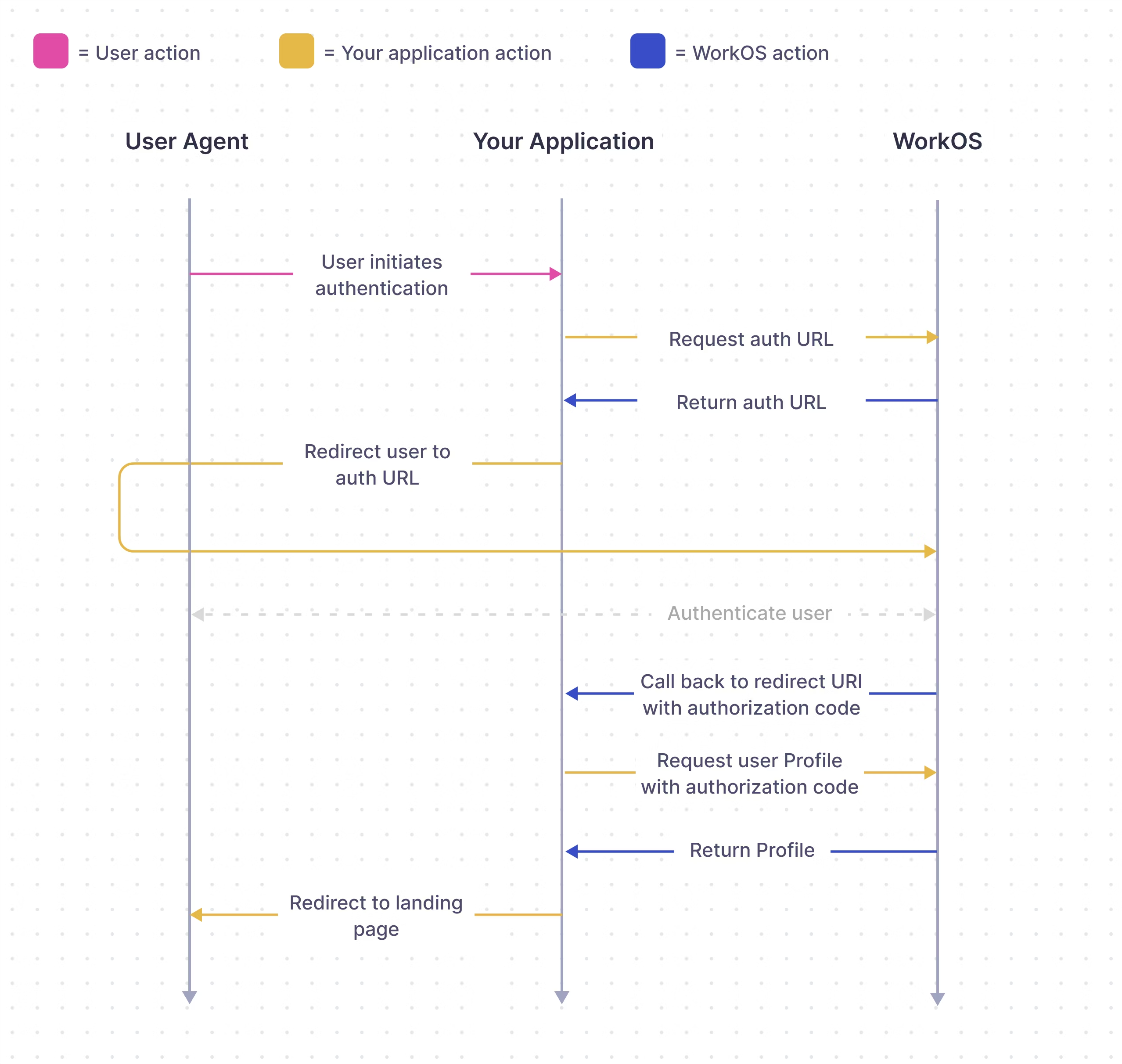
The Redirect URI is the location to which the user is returned after successfully completing authentication with their Identity Provider (IdP). In a Service Provider (SP) initiated login flow, a series of exchanges take place between the application, WorkOS, and the IdP, as shown in the diagram below. With an Identity Provider (IdP) initiated login flow, the approach is similar but the user begins the login flow by clicking on the tile within their IdP platform instead of from the application.
In WorkOS Production Environments, the Redirect URI to your application cannot use HTTP or localhost, however, Redirect URIs that use HTTP and localhost are allowed in Sandbox Environments.
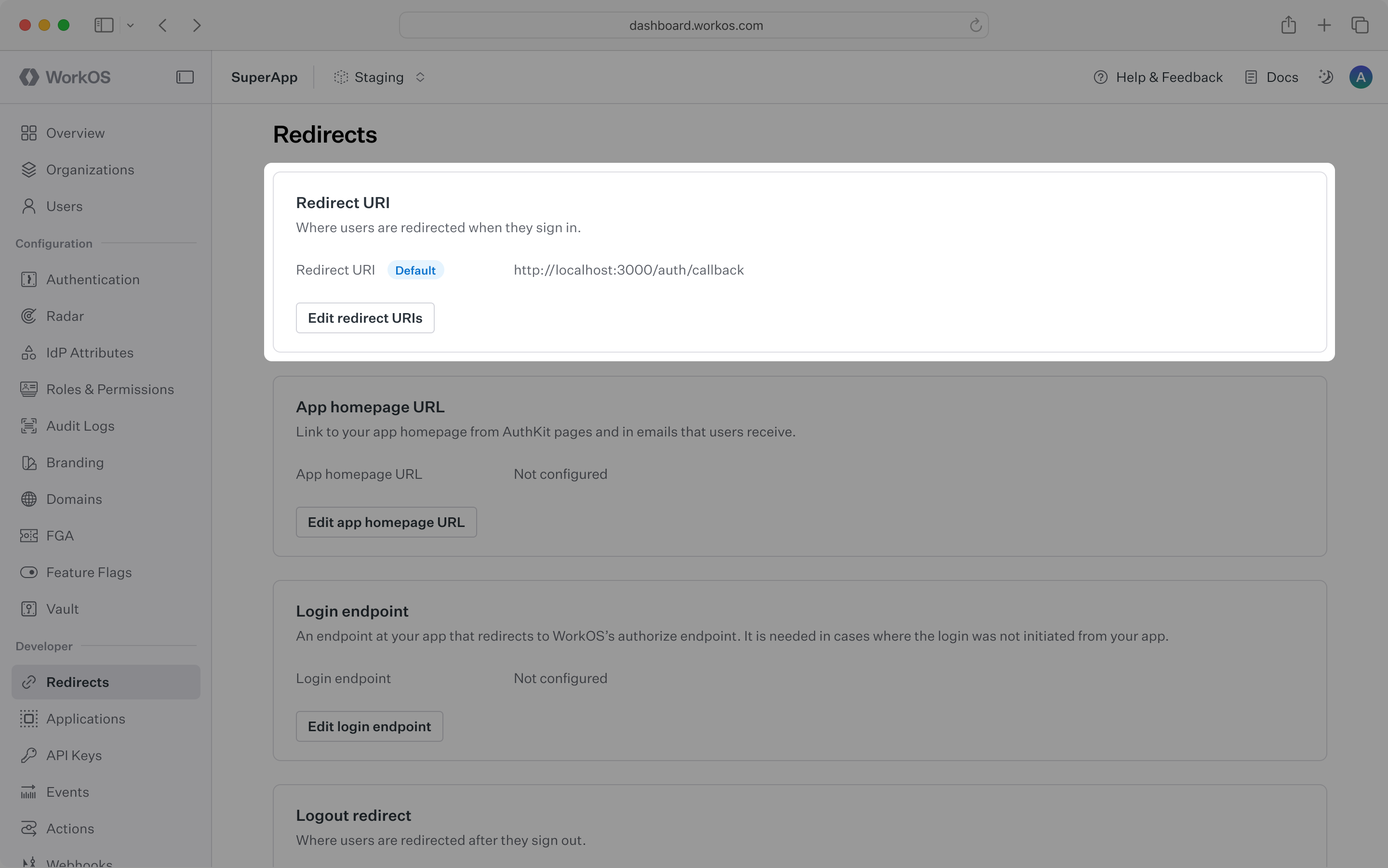
Configure at least one redirect URI and select it as a default for the WorkOS Environment. Do this from the Redirects page in the WorkOS dashboard. Routing the authorization flow to a Redirect URI that is not yet defined in the Dashboard results in an error and users will be unable to sign in, so define them in the dashboard first.
Include the Redirect URI directly in the Get Authorization URL call as a redirect_uri parameter to override the default Redirect URI set in the WorkOS Dashboard.
WorkOS supports using wildcard characters (*) in Redirect URIs to handle dynamic subdomains or variable ports during development.
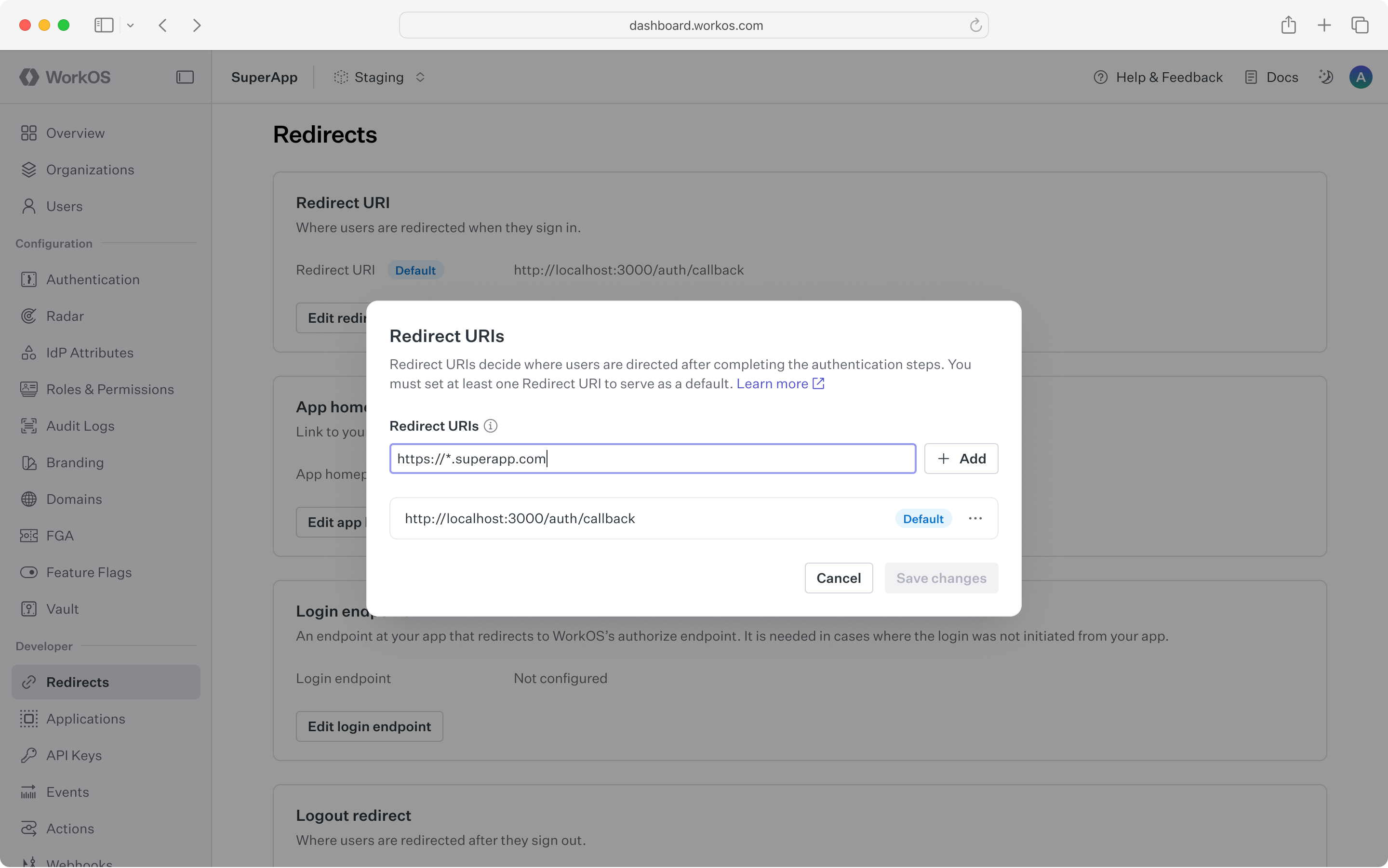
The * symbol can be used as a wildcard for subdomains; however, it must be used in accordance with the following rules:
- The protocol of the URL must not be
http:in production environments. - The wildcard must be located in the subdomain furthest from the root domain (e.g.,
https://*.sub.example.comwill work, buthttps://sub.*.example.comwill not). - The URL must not contain more than one wildcard.
- A wildcard character may be prefixed and/or suffixed (e.g.,
https://prefix-*-suffix.example.com). - A wildcard will not match across multiple subdomain levels (e.g.,
https://*.example.comwill not matchhttps://sub1.sub2.example.com). - Wildcards cannot be used with public suffix domains (e.g.,
https://*.ngrok-free.appwill not work). - The wildcard will match letters, digits, hyphens, and underscores.
- A URL with a wildcard cannot be set as the default redirect URI.
To support RFC 8252 (“OAuth 2.0 for Native Apps”) and local development, a wildcard may be used in place of the port number.
- This is strictly limited to
localhostand loopback IP addresses (e.g.,127.0.0.1). - Example:
http://localhost:*/auth/callbackis valid.
This document offers guidance on integrating Single Sign-On with the standalone API into an existing auth stack. Consider AuthKit as a complete authentication platform that leverages Single Sign-On functionality out of the box, following best practices.