SAML Signing Certificates
Verify the authenticity of SAML responses and requests.
Manage SAML signing certificates for your SSO connections.
SAML signing certificates are X.509 certificates used in SAML responses to allow the Service Provider (SP) to verify the authenticity of a SAML response. Some Identity Providers (IdP’s) may require or provide the option to use a SAML signing certificate for the SAML request as well. In these cases the IdP verifies the authenticity of the SAML request.
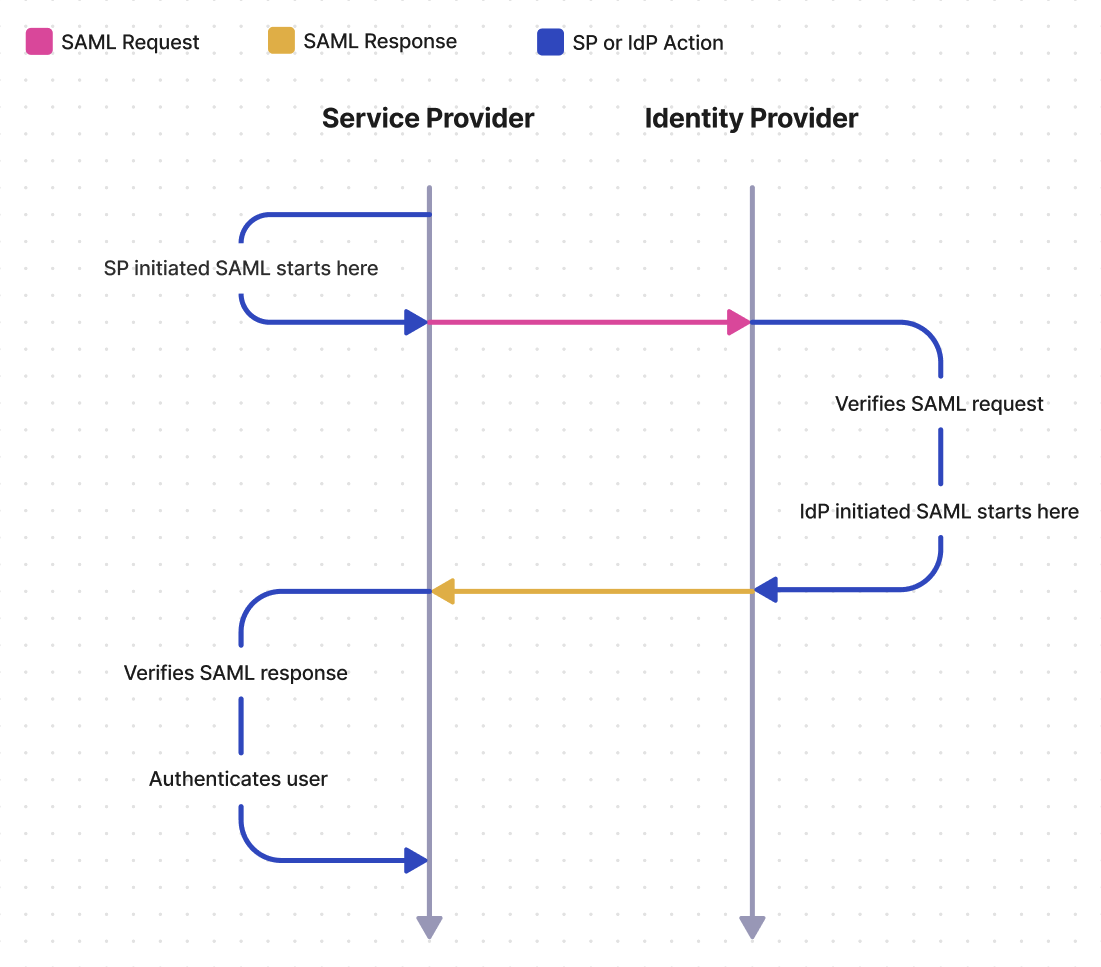
SAML response signing certificates are generated by the customer’s IdP and must then be uploaded to WorkOS manually or using a monitored metadata URL. The customer can either upload the certificate themselves via the Admin Portal, or it can be uploaded on their behalf via the WorkOS Dashboard.
Unlike SAML response signing, request signing requires providing the customer with a metadata URL called the SP metadata URL. The customer then uploads the SP metadata URL to their IdP, where it will either be monitored for updates automatically made by WorkOS, or manually updated by the customer in their IdP.
When the IdP sends a SAML response, the SP must verify the authenticity of the response, and that it has not been tampered with by an unauthorized third party. The SAML response signing certificate allows the SP to perform this verification.
Consider the fictional SaaS company HireOS, which offers recruiting software to other businesses. HireOS is an online application that allows its customers to track leads, candidates, and interviews. HireOS is referred to as the SP by SAML.
Consider HireOS’ newest enterprise customer: Enterprise Corp. Enterprise Corp is a large enterprise company that wants to use HireOS to manage their recruiting. Enterprise Corp IT admins need recruiters and other employees who will use HireOS to log in using Enterprise Corp’s identity provider, Okta. Okta is one of many companies known as an IdP to SAML.
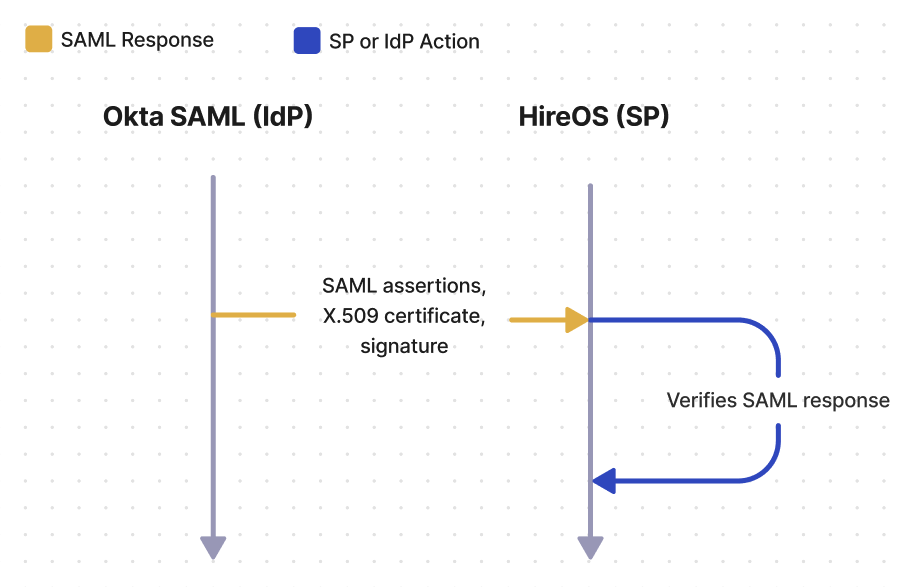
After identifying the user – whether from the SAML request or from IdP initiated SSO – Okta SAML will generate the SAML response, which includes SAML assertions, the X.509 certificate, and the signature value. Upon receiving the response from Okta SAML, HireOS will verify that the response came from Okta SAML by decrypting the signature, using the public key on the X.509 certificate, and checking if the hash values match.
When planning a SAML integration, there are a few things to consider related to SAML response signing certificates.
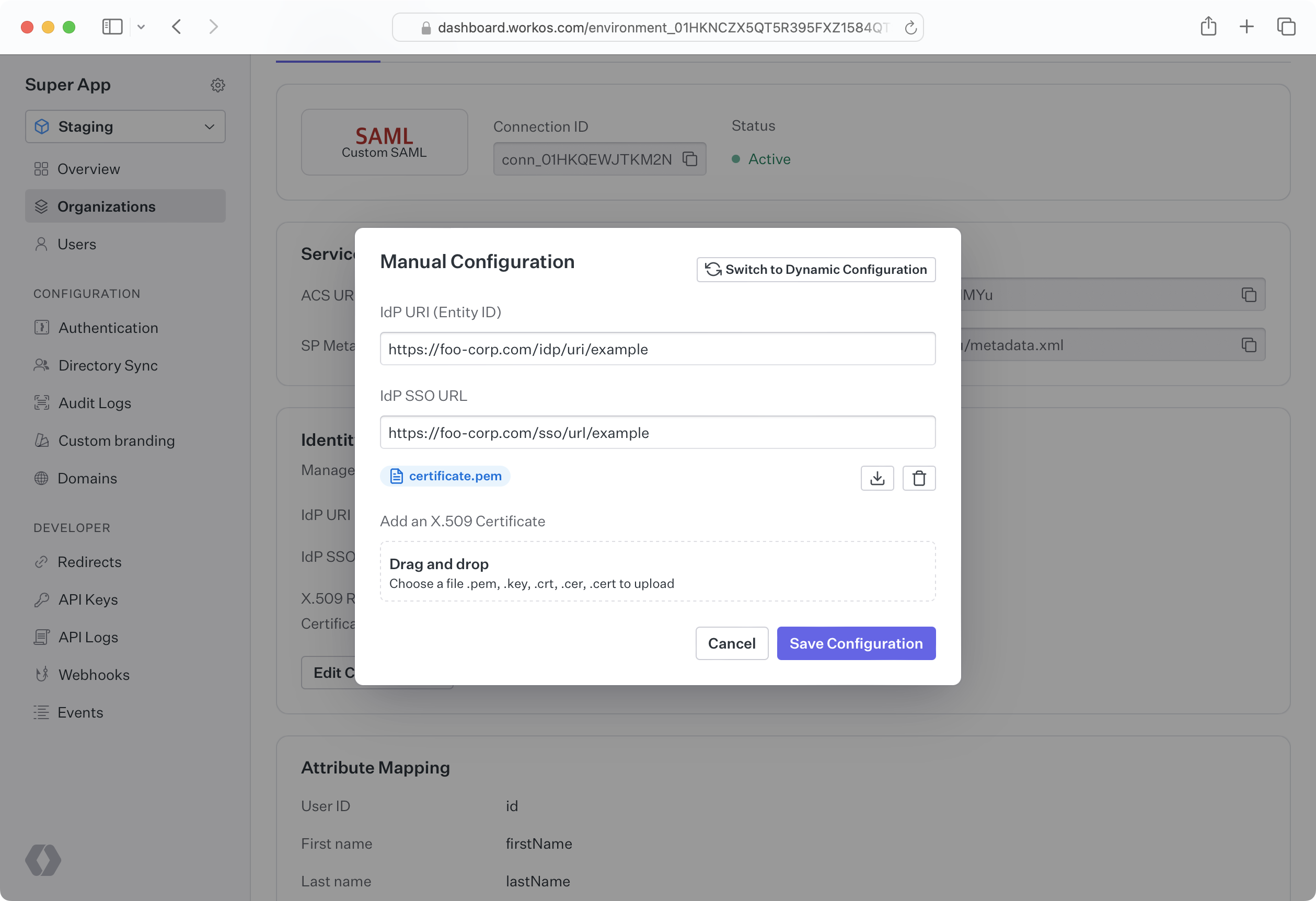
SAML response signing certificates eventually expire and must be kept up to date to maintain service. Certificate expiration times vary, but typically, response certificates are valid anywhere from 1-5 years. If a certificate is uploaded in the WorkOS Dashboard, its expiration date is visible by going to Organizations, selecting the Organization, and then clicking on the Connection containing the response certificate. For companies with a shared Slack channel with WorkOS, a notification is automatically sent before a certificate expires.
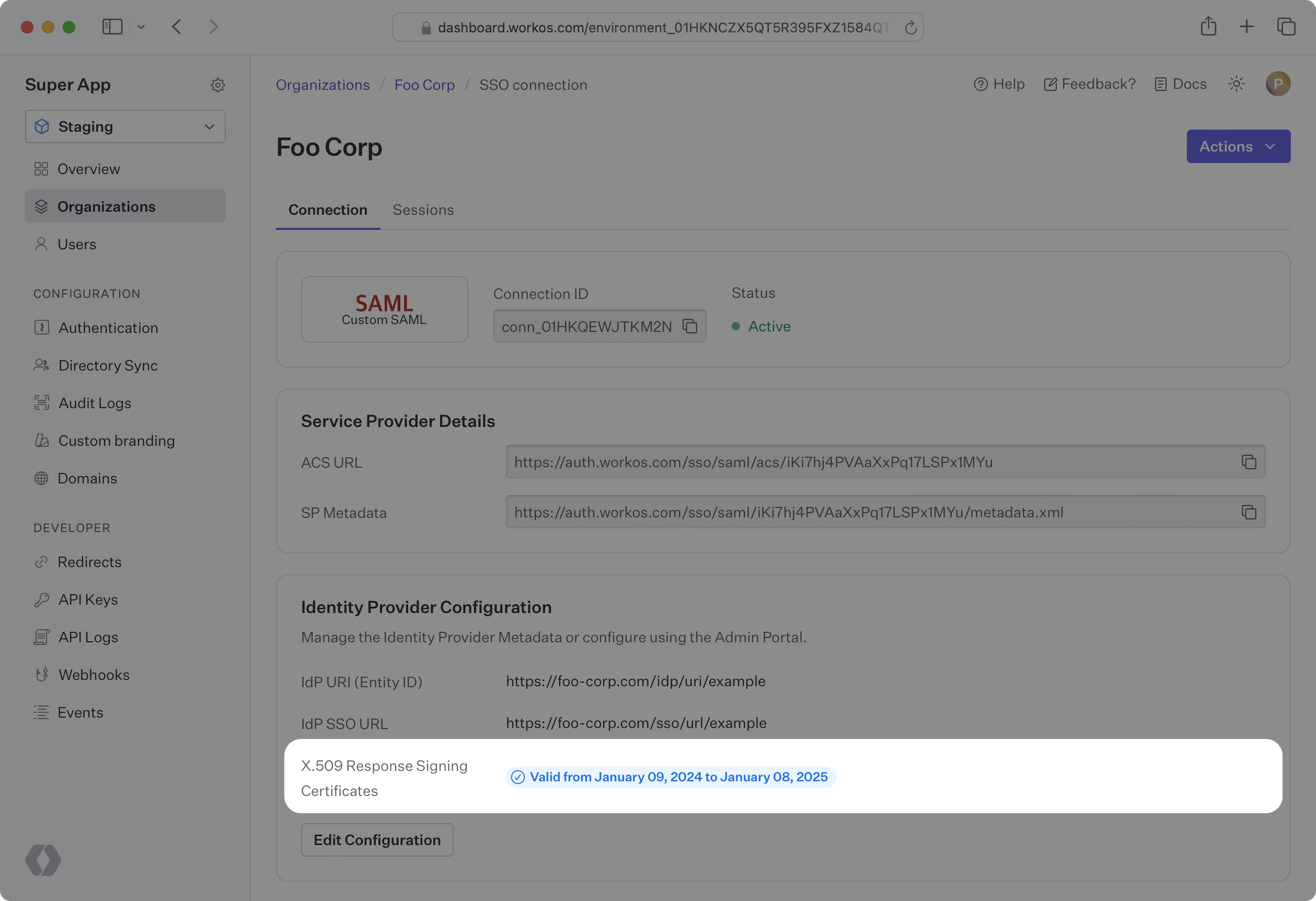
There are two options for uploading a response certificate to a Connection, both of which can be done either in the WorkOS Dashboard, or by the customer using the Admin Portal.
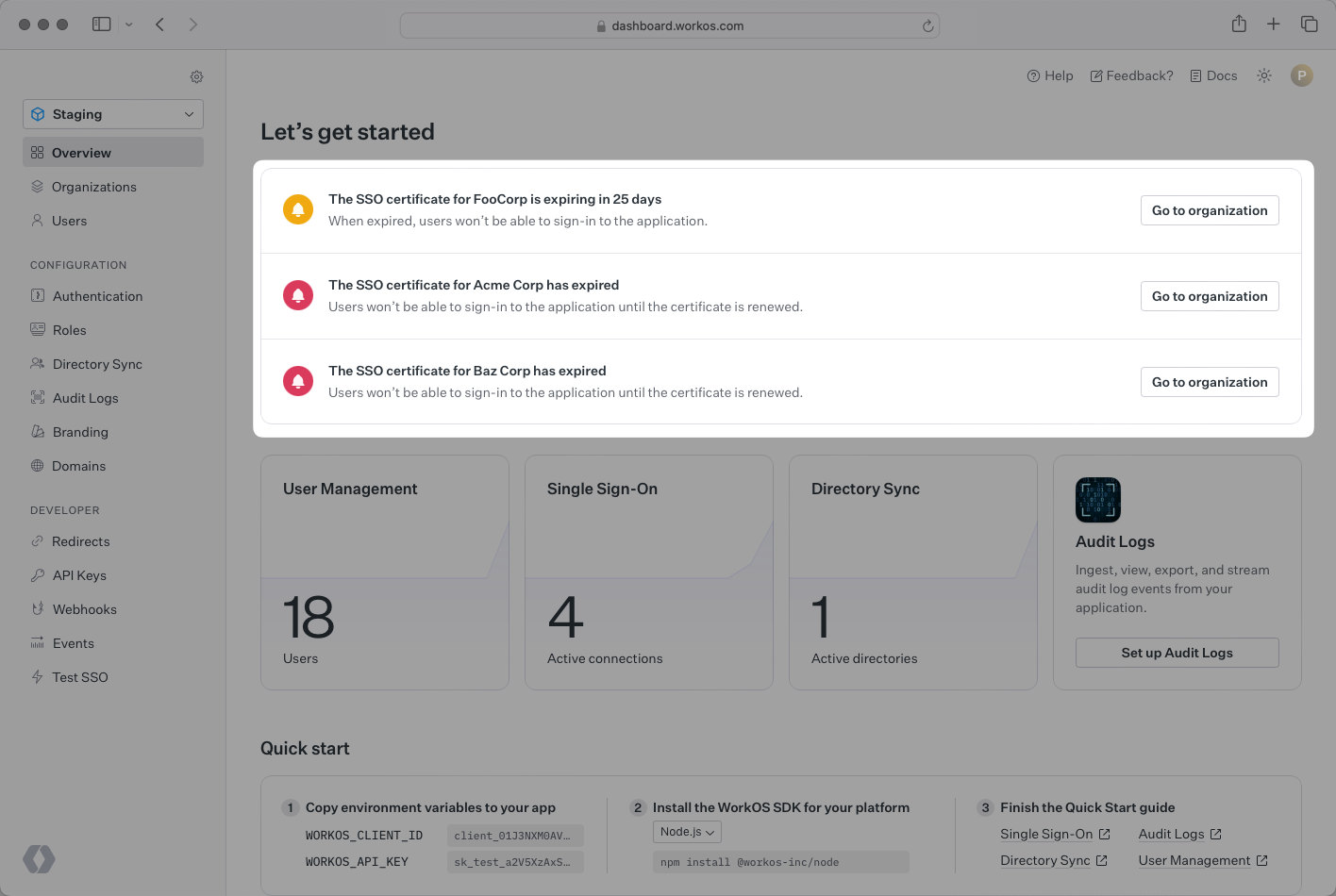
To facilitate certificate renewal, WorkOS offers the ability to renew SAML certificates through the Admin Portal. When a certificate is nearing expiration (within 90 days), or has already expired, a notification appears on the Dashboard Overview page with details about the certificate.
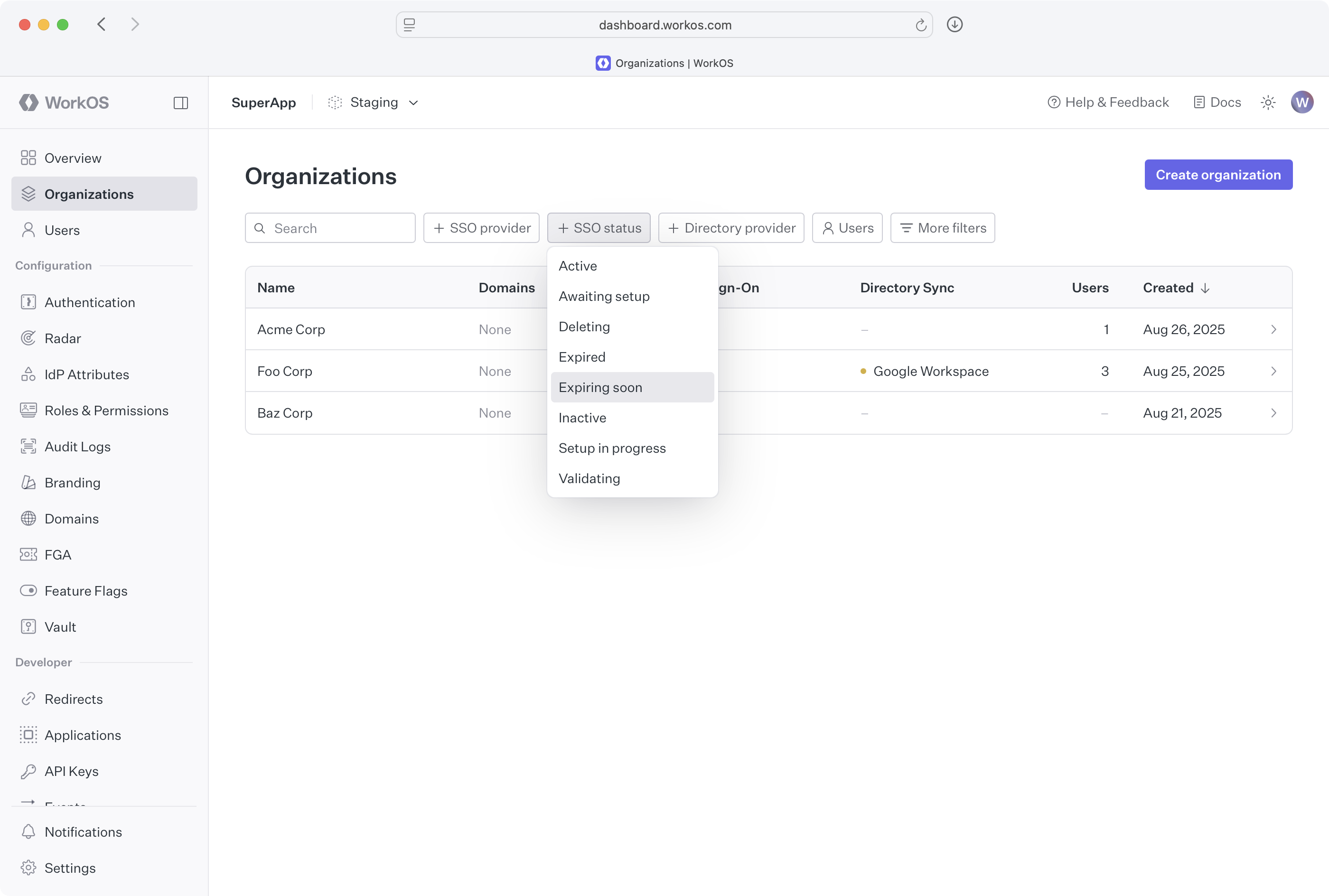
Connections with expired or expiring certificates can also be filtered directly from the Organization page’s filters.
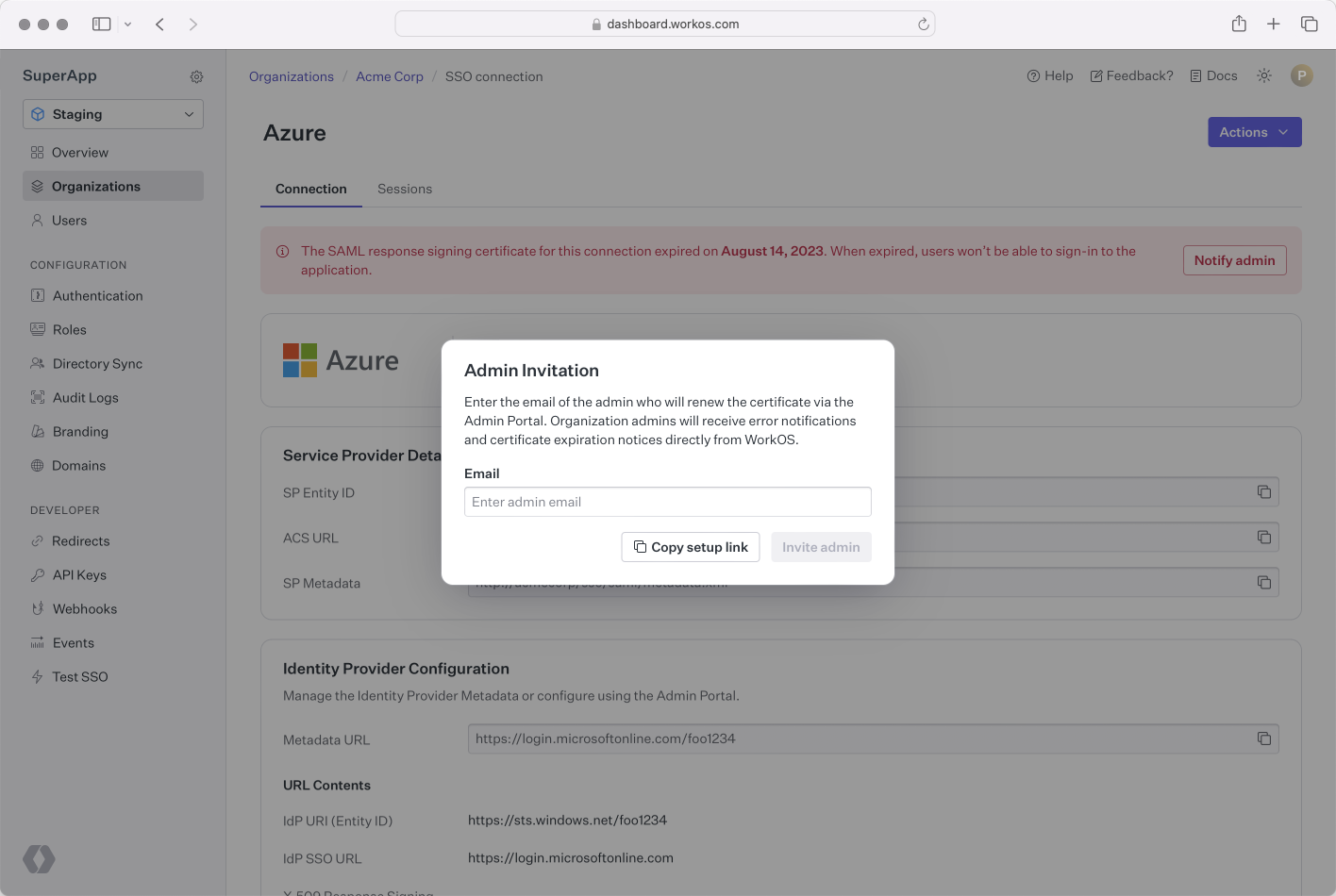
From the Connection page, an Admin Portal link can be generated and emailed directly to the IT admin. By entering the IT admin’s email address, WorkOS emails them with a certificate renewal Admin Portal link, and they will be notified about future expiring certificates. Alternatively, the link can be copied and shared directly.
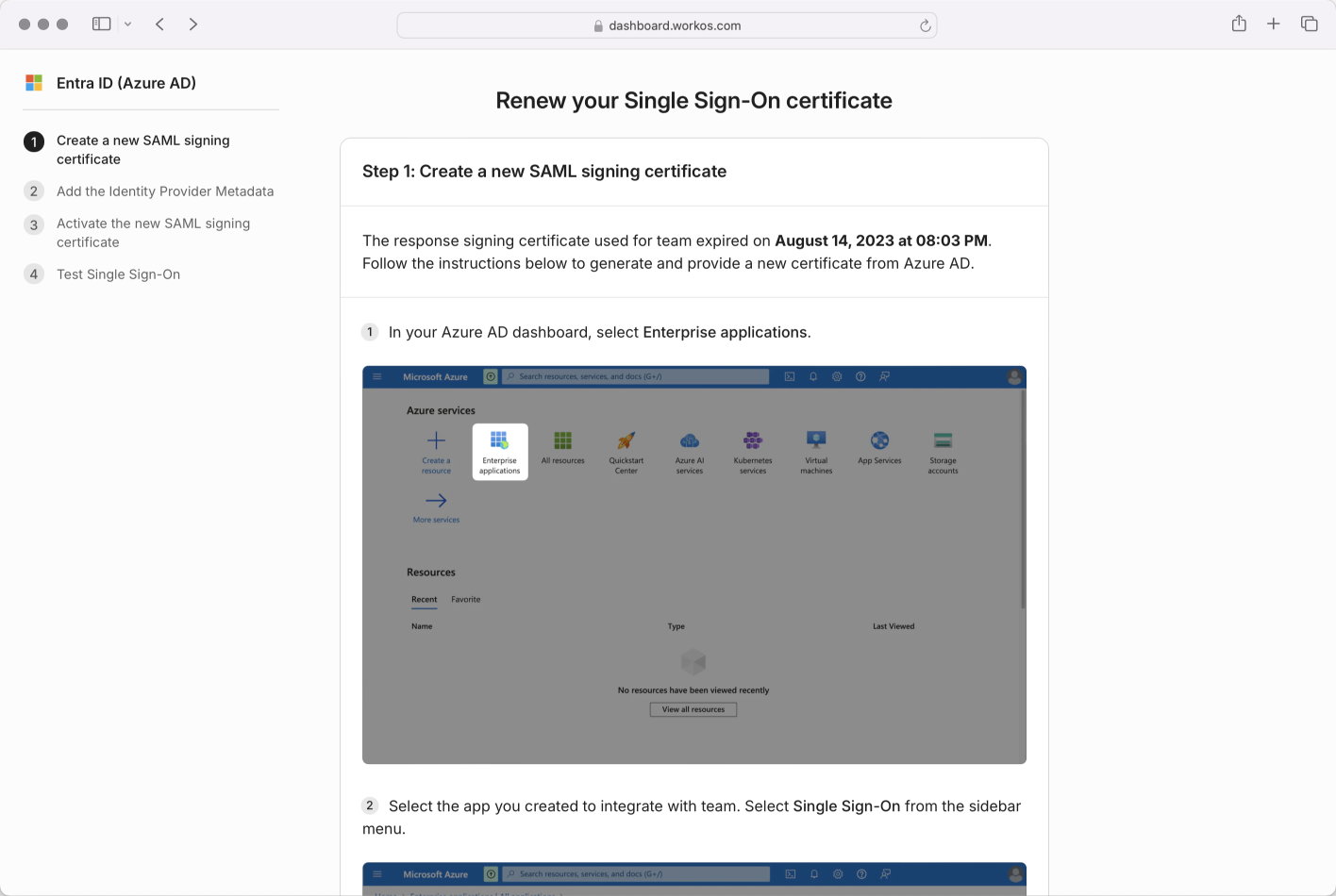
The IT admin will be guided to a step by step flow to renew their certificate; the exact steps will vary based on the IdP.
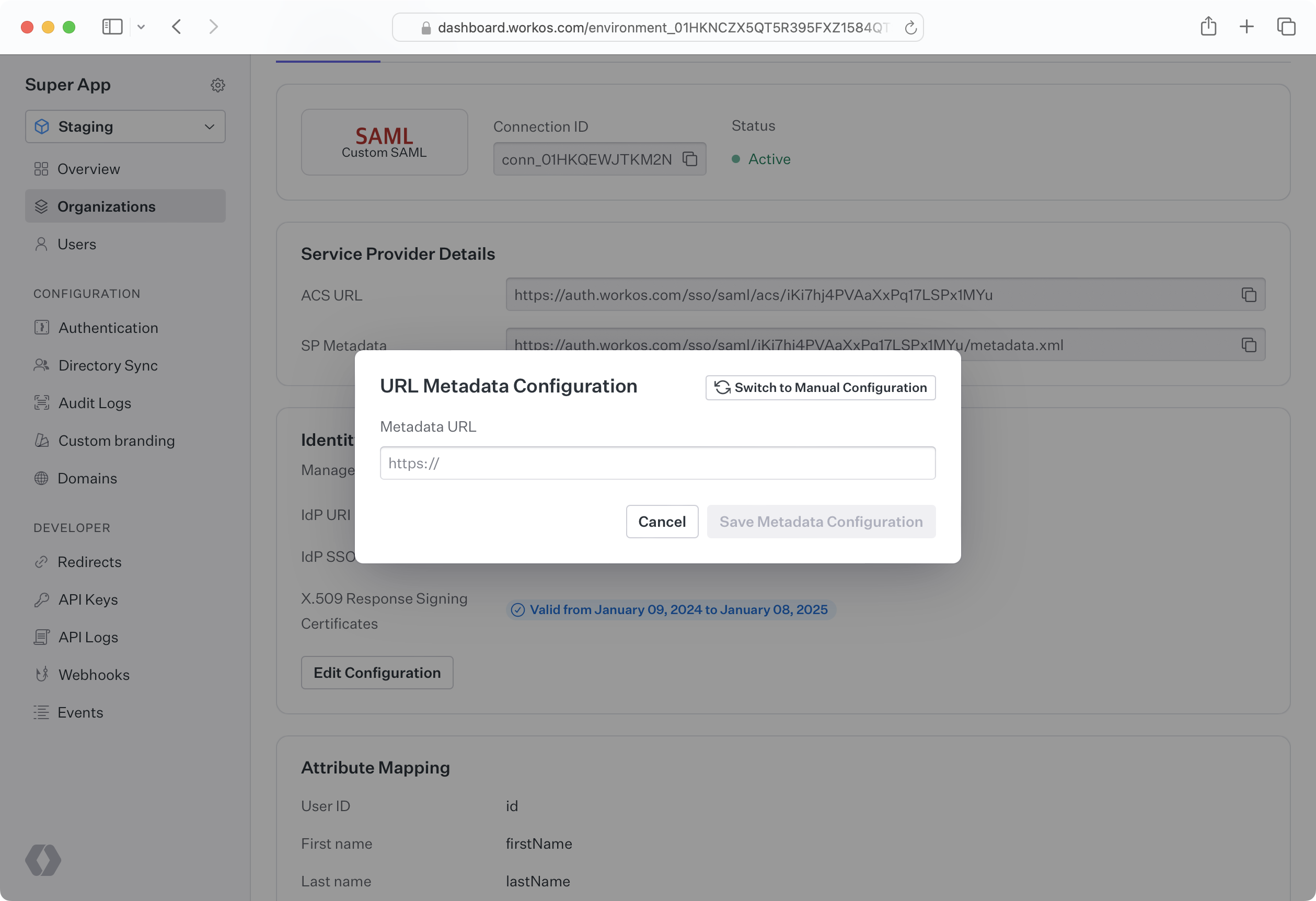
To streamline this process, a metadata URL can be uploaded to WorkOS that is automatically kept updated as metadata changes. If the customer’s IdP refreshes a certificate, WorkOS automatically pulls in the updated metadata. The customer can upload a metadata URL to the Admin Portal during setup, or provide it for manual upload via the Dashboard.
SP metadata such as the Entity ID, IdP SSO URL, and SAML response signing certificate can be uploaded manually through the Dashboard or the Admin Portal. This may be done either by uploading an XML metadata file, or by individually inputting metadata values. When metadata becomes out of date, such as an X.509 certificate expiring, new information must be manually uploaded. To upload the data on behalf of a customer, the customer must first send the relevant metadata. It can then be uploaded via the WorkOS Dashboard by navigating to the Organization and selecting the specific Connection.
When the SP sends a SAML request, the IdP must verify that the request is actually coming from the SP and has not been tampered with by an unauthorized third party. IdP’s choose to handle this verification in different ways, and some use a SAML request signing certificate. Microsoft AD FS SAML uses a relying party trust, which is similar to a SAML request signing certificate, and the concepts covered in this article are applicable. In WorkOS, Connections that take advantage of a request certificate will expose an SP metadata URL that can be sent to the IdP in order to give it access to the signing certificate.
Consider again the fictional SaaS company HireOS, which offers recruiting software to other businesses. HireOS is referred to as the SP by SAML.
HireOS’ newest enterprise customer is called Enterprise Corp. Enterprise Corp IT admins need recruiters and other employees who will use HireOS to log in using Enterprise Corp’s identity provider, Okta. Okta is one of many companies known as an IdP to SAML.
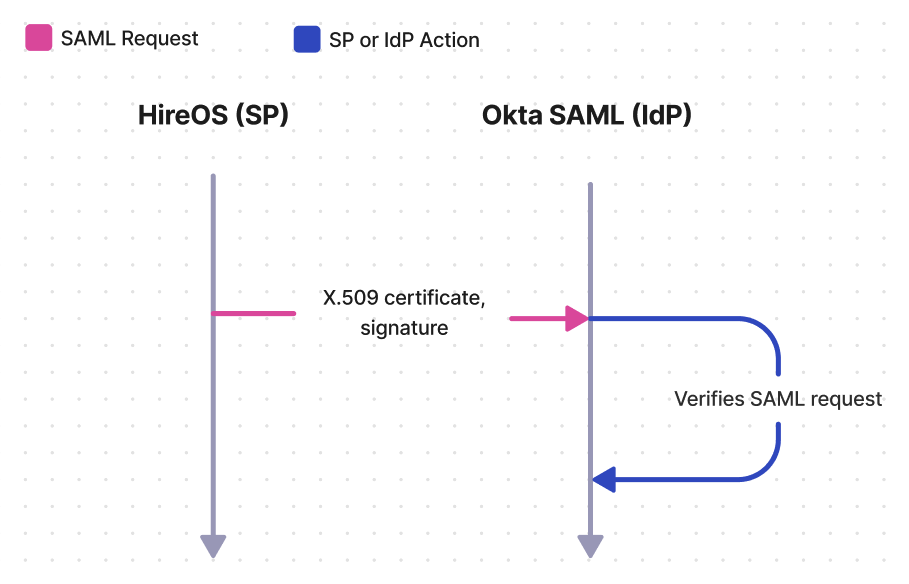
In SP initiated SSO, HireOS will first send a SAML request to Okta SAML. If a request certificate is being used, then the X.509 certificate along with a signing signature will be attached to the request. Upon receiving the request, Okta SAML will verify that the request came from HireOS by decrypting the signature using the public key on the X.509 certificate and confirming the hash values match.
When planning a SAML integration, there are a few things to consider related to SAML request signing certificates.
SAML request signing certificates eventually expire and must be kept up to date to maintain service. WorkOS automatically updates the request signing certificate on the SP metadata URL before it expires. It is the responsibility of the customer and their IdP to either monitor the SP metadata URL or manually keep it up to date. For companies with a shared Slack channel with WorkOS, a notification is automatically sent when the X.509 certificate on the SP metadata URL is updated, allowing verification that the customer has the latest metadata.
There are potentially two options for the customer to upload SP metadata, which vary based on their IdP. In both cases, the customer needs the SP metadata URL, which can be found in the WorkOS Dashboard by going to Organizations, selecting the Organization, and then selecting the Connection.
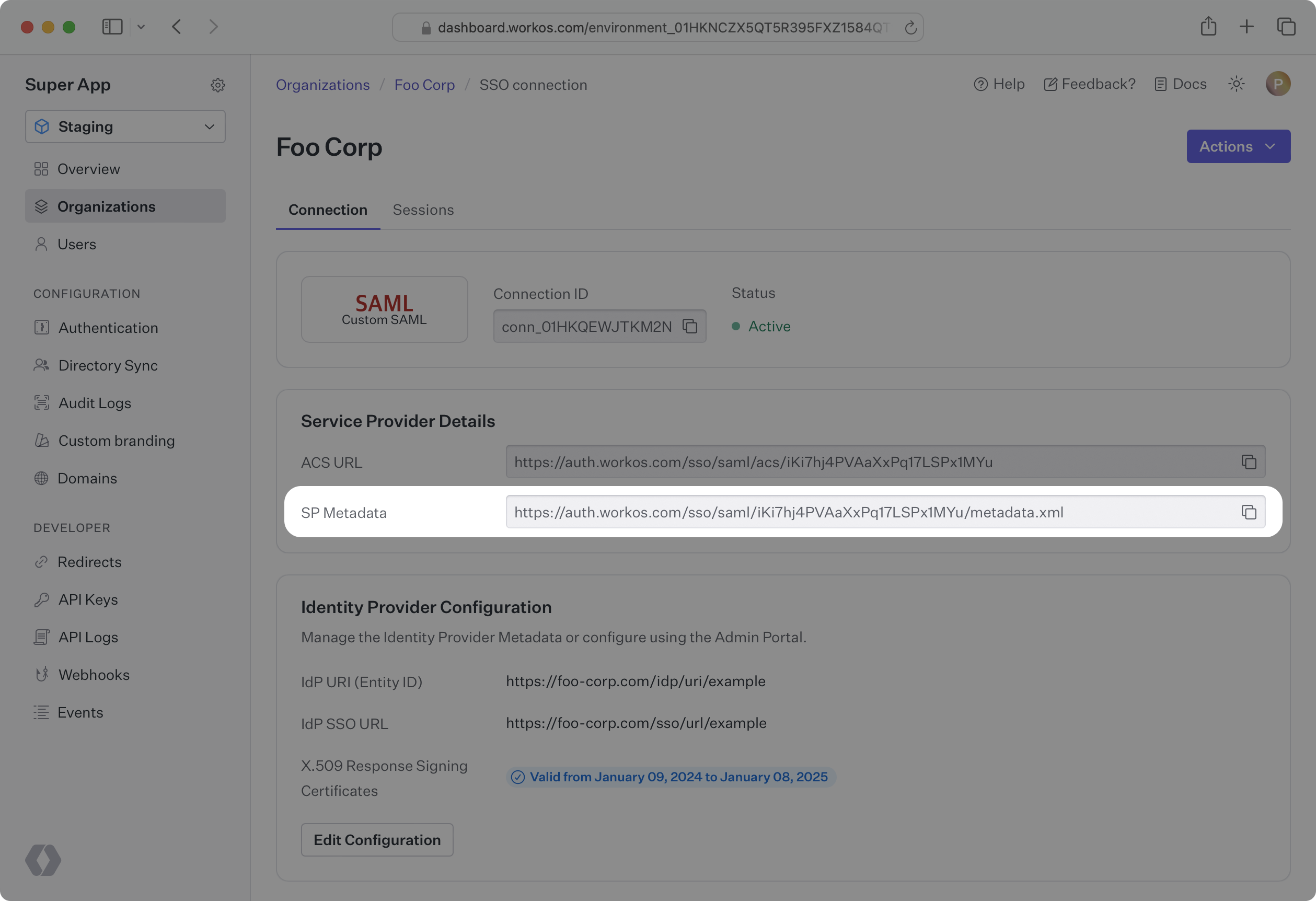
To streamline this process, the customer may instead choose to monitor the SP metadata URL. Their IdP will regularly check the URL for updates to the metadata. When WorkOS makes an update, such as refreshing an X.509 certificate that is expiring soon, their IdP will automatically pick up the change.
The customer can manually download the SP metadata document from the URL, extract the certificate, and upload it to their IdP. When the certificate is approaching expiration, the process can be repeated to provide the IdP with the most up-to-date certificate.
This document offers guidance on integrating Single Sign-On with the standalone API into an existing auth stack. AuthKit is also available as a complete authentication platform that leverages Single Sign-On functionality out of the box, following best practices.