Profile Attributes
Configure how attributes map from identity providers to SSO Profiles.
When a user authenticates via SSO, WorkOS normalizes identity provider attributes into a standard SSO Profile object. Understanding how this mapping works helps you plan which user data your application can access and how to configure additional attributes.
- Standard attributes
- The most common user information, normalized across providers.
- Predefined attributes
- Detailed user attributes for specific use cases, normalized across providers. Each attribute can be opted into for organization admins to map during SSO connection configuration.
- Custom attributes
- For unique cases, custom attributes can be created that customers map when setting up an SSO connection.
Every SSO Profile comes with the following standard attributes. These are the core set of attributes that are common across all identity providers. These are structured fields with a guaranteed schema in the top-level SSO Profile payload.
For more detailed user information, additional predefined attributes can be opted into and custom attributes can be defined. These attributes appear in the custom attributes field on SSO Profile objects and are configured in the WorkOS Dashboard.
When using AuthKit, SSO Profile custom attributes are also available on the organization membership’s custom_attributes field. See JWT Templates for how to include these in your access tokens.
When enabled, organization admins are asked to map these attributes during SSO configuration in Admin Portal. These fields are always optional if enabled. These fields are named and schematized by WorkOS and cannot be renamed.
Enable or disable a predefined attribute
Predefined attributes can be enabled or disabled in the WorkOS Dashboard on the Identity Provider Attributes page.
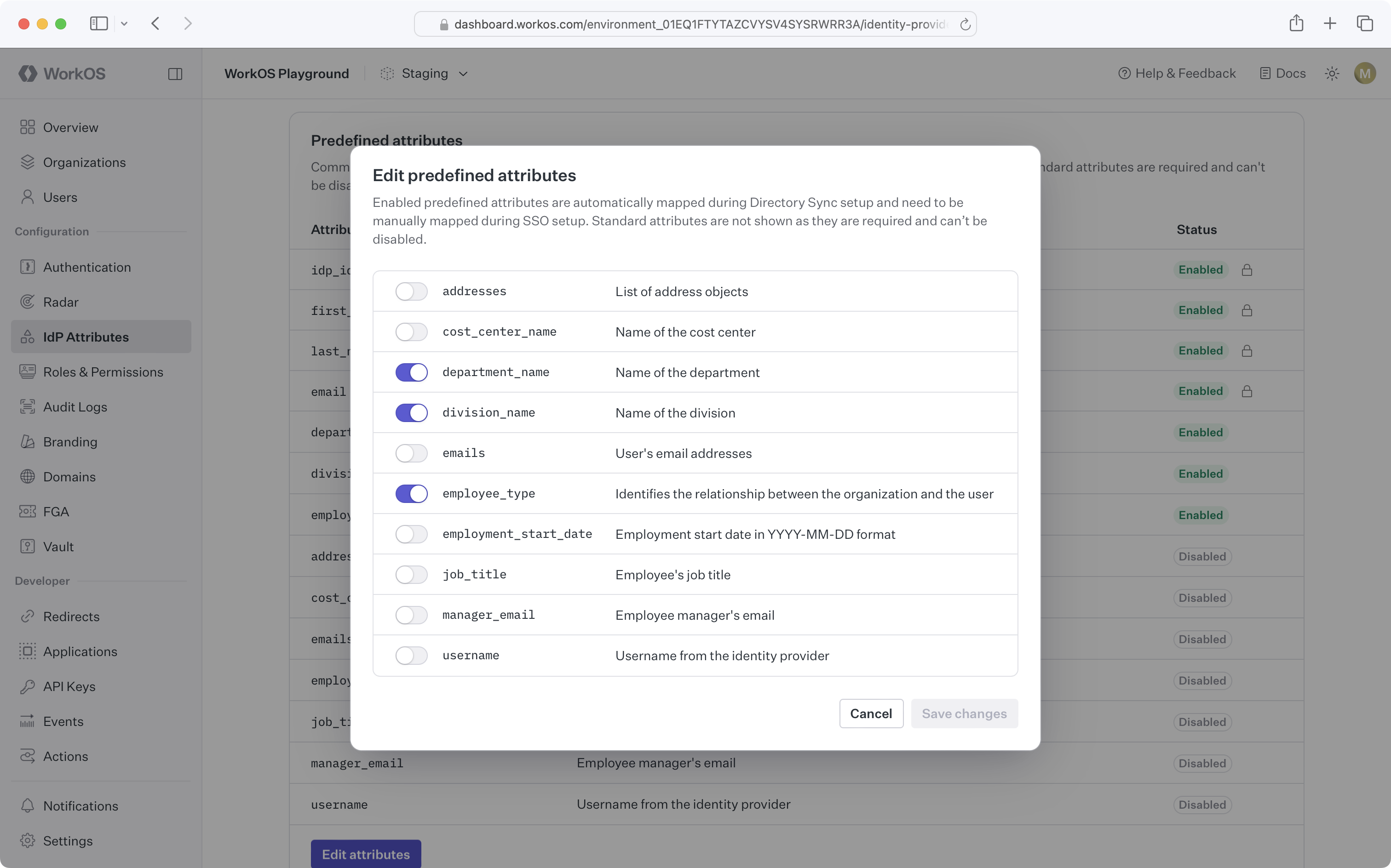
For SSO Profiles, making changes to IdP attributes will take effect upon next sign-in.
Custom attributes enrich SSO Profiles with additional data from the identity provider. Custom attributes appear as fields in the Admin Portal. Customers map these fields to the correct values in their system when setting up SSO with their identity provider.
Create a custom attribute
Custom attributes can be created in the WorkOS Dashboard on the Identity Provider Attributes page.

For SSO Profiles, making changes to IdP attributes will take effect upon next sign-in.
Delete a custom attribute
When a custom attribute is deleted, SSO Profiles will retain these existing attribute values until the next sign-in.
Editing attribute mappings
If attribute data for a particular SSO connection has changed and is no longer mapped properly, attribute mappings can be edited via the WorkOS Dashboard connection page or by the organization admin via the Admin Portal.
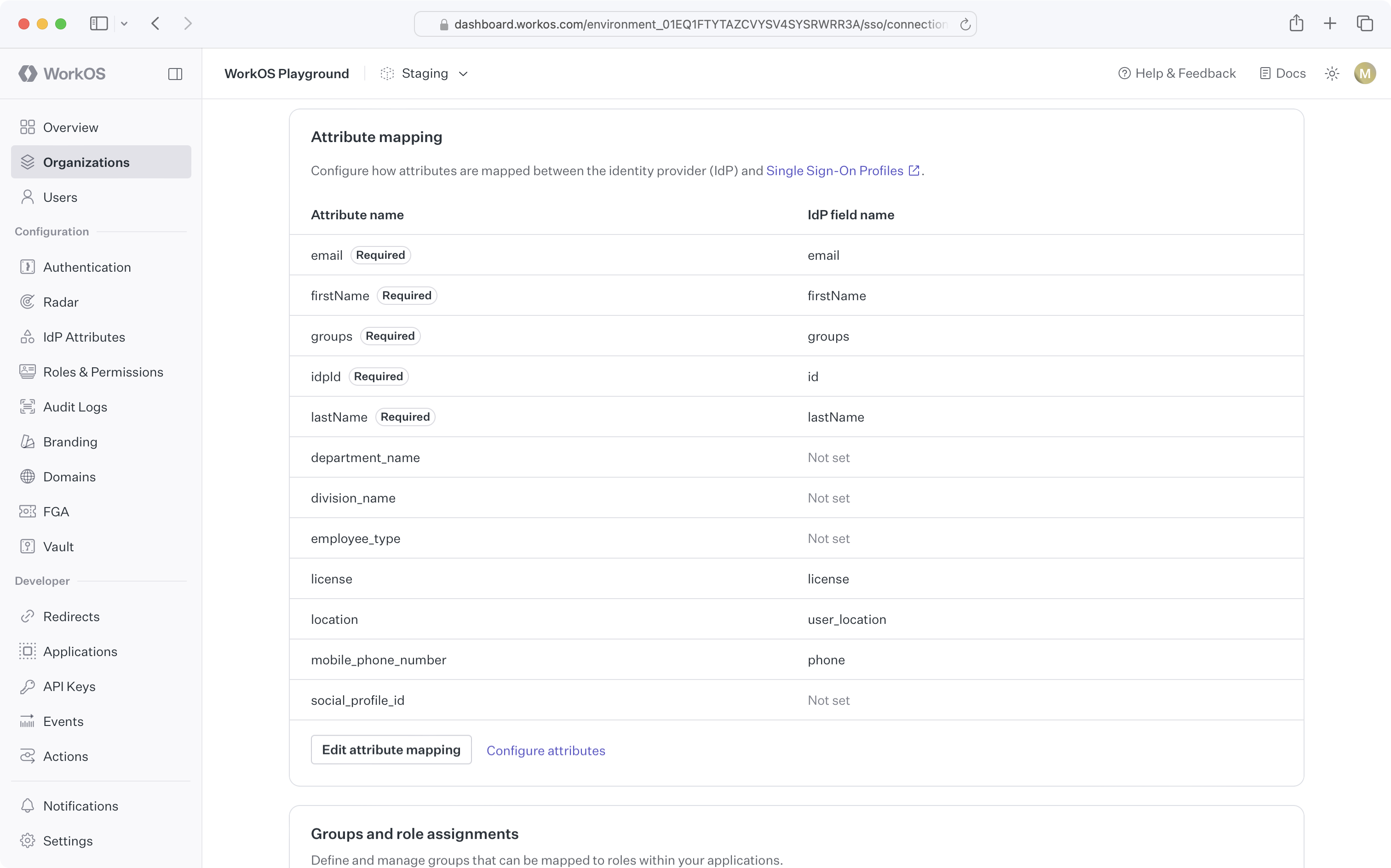
The visibility of custom attribute mapping for Directory Sync and Single Sign-On flows in the Admin Portal is controlled at the environment and organization level.
The environment-level setting is controlled on the Identity Provider Attributes page in the WorkOS Dashboard.
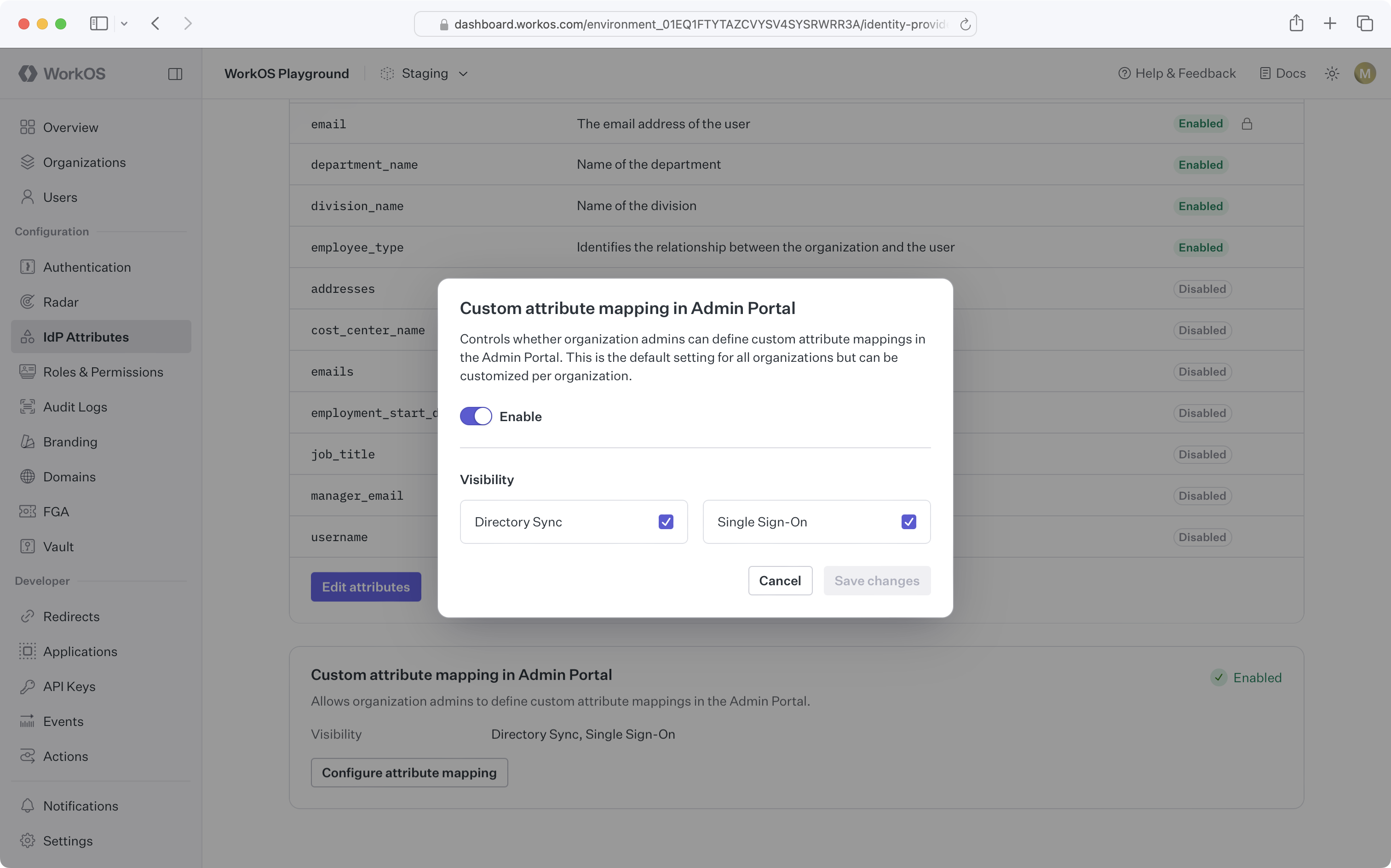
Organization-level settings are controlled on an individual organization’s Attributes tab in the WorkOS Dashboard. Organizations mirror the environment-level settings by default.
Which identity providers support mapping additional predefined and custom attributes?
Additional predefined and custom attributes are supported for all SAML SSO connections.
Can customers add their own custom attributes outside of what is defined in the WorkOS Dashboard?
This functionality is not currently supported. Custom attributes must be defined in the WorkOS Dashboard first. Reach out to support for specific use cases.
What happens if an attribute cannot be mapped from the IdP?
Attributes that cannot be mapped for a particular SSO Profile will result in a null value for the attribute.