SAML Security Considerations
Learn about additional SAML features that WorkOS supports.
SAML provides several security mechanisms to protect the confidentiality and integrity of authentication requests and responses. While the only requirement for using SAML with WorkOS is that the Identity Provider (IdP) signs the assertions within the SAML authentication response, some customers may have stricter configuration requirements, or it may be desirable to raise the security bar by following recommendations. This document details the available security features and how they benefit the application, the customer, and their identity provider.
The parties involved in a SAML authentication request and response flow are:
- Identity Provider
- Service Provider (SP)
- User Agent, i.e. a browser
WorkOS uses the HTTP Redirect binding to transmit SAML authentication requests from the SP to the IdP, and the HTTP POST binding to receive SAML responses from the IdP back to the SP:
- Redirect binding sends the request via HTTP GET, with the SAML message included in the URL.
- POST binding delivers the response via HTTP POST, with the SAML message in the form body.
The SAML authentication request is a way for the SP to request confirmation that the user they’re presented with is who they’re claiming to be. It is relayed to the IdP via the user agent.
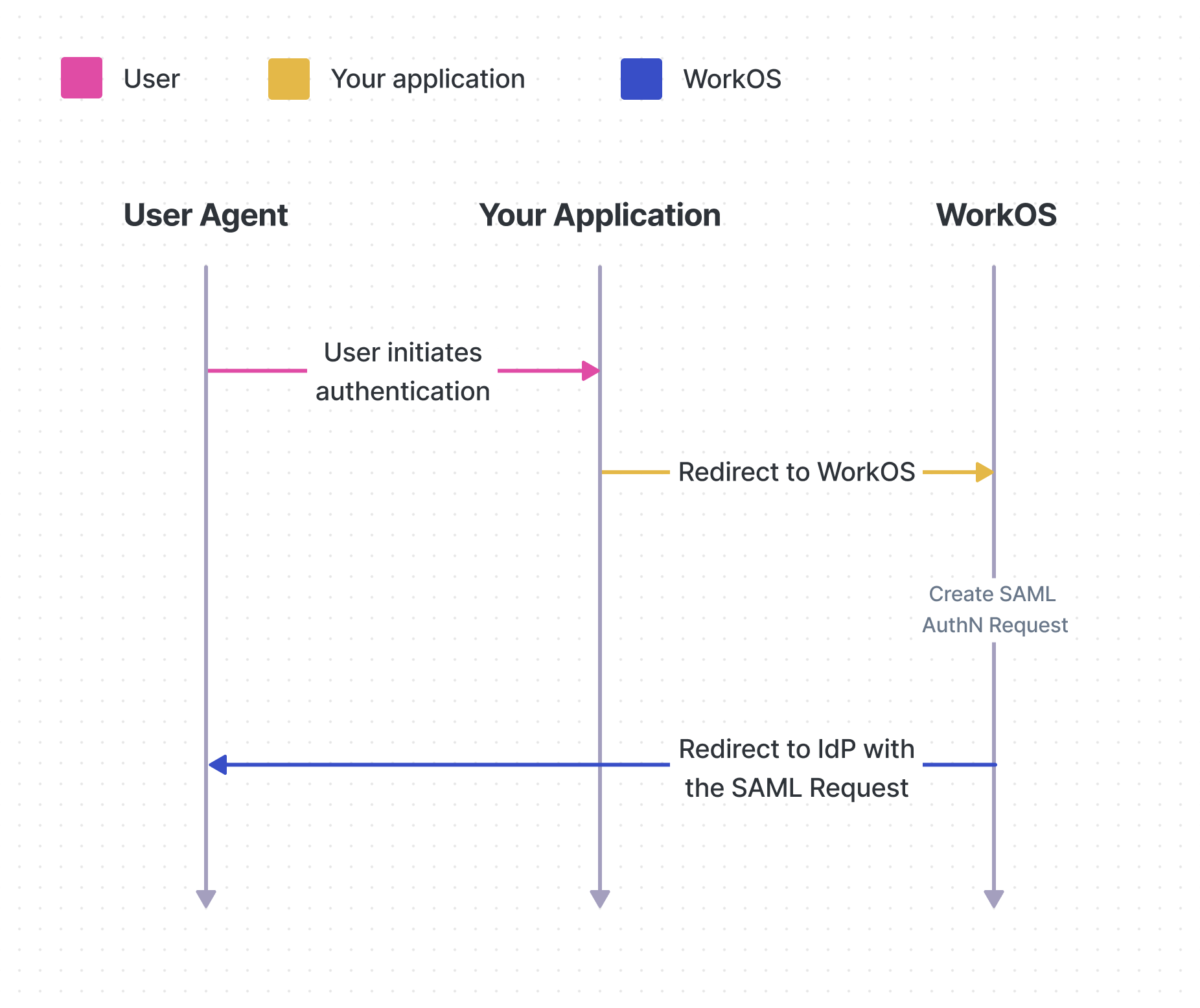
To address the opportunity to spoof or tamper with a SAML request to the IdP, the IdP may require that all SP’s sign the request. To accommodate this there needs to be a pre-existing relationship between the SP and IdP where a key-pair is shared. The IdP holds the public key (for verifying the request) and the SP holds the private key (for signing the request).
WorkOS recommends SAML request signing, this is especially important in cases where HTTPS is terminated or interrupted prior to reaching the IdP.
All WorkOS requests embed the <IssueInstant> timestamp to allow the IdP to reject stale requests, however to mitigate tamper of this value request signing must be used.
(See SAML 2.0 Security Considerations sections 5.2.1.2, 6.5.1 for more detail).
WorkOS supports SAML request signing for all compatible connection types. Please contact WorkOS support to enable it.
The SAML response is an XML document provided by an IdP containing details about a user so that an SP can authenticate them. It is relayed to the SP via the user agent.
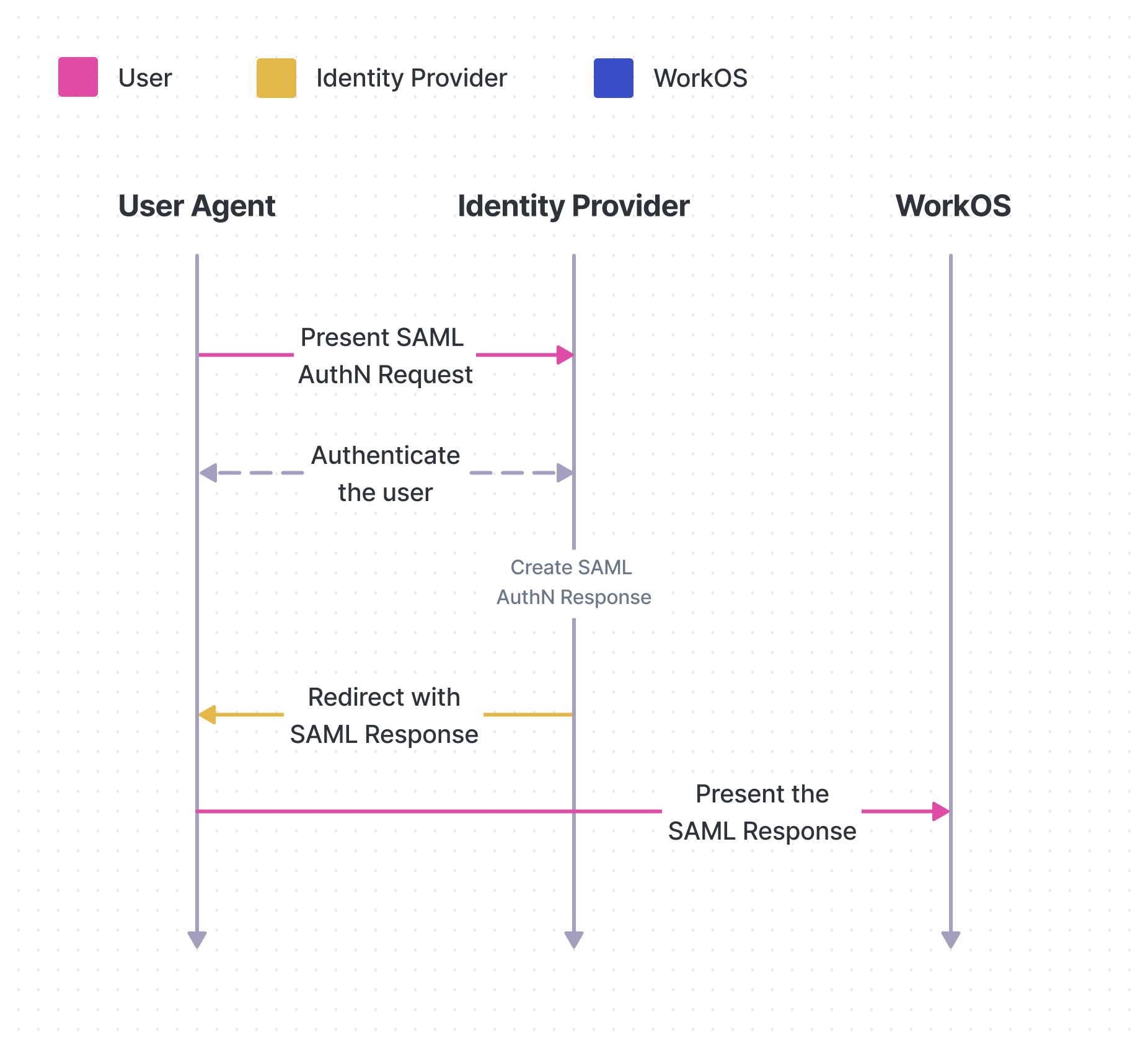
For reference in understanding the following features, below is a simplified hierarchy of the XML elements in a SAML Response:
This is required by WorkOS for all SAML connections. It is a core requirement for SAML IdPs to implement as of SAML 2.0 (see SAML 2.0 Profiles section 4.1.3.5).
Signed response assertions are enabled in the setup steps when creating a SAML connection.
This is the complete signature over the SAML response payload. In combination with an assertion signature it will provide additional integrity protection and is recommended by WorkOS (For details on threats addressed see SAML Security Considerations sections 7.1.1.6, 7.1.1.7).
Please contact WorkOS support to enable signed response message envelope.
The SAML assertions in the SAML response may contain sensitive data, and therefore there is an option to encrypt them to preserve confidentiality.
This feature is recommended in scenarios where the SAML response travels through HTTPS termination, so that accidental logging of sensitive data can be mitigated.
Please contact WorkOS support to enable encrypted response assertion.
The attribute statement is a sub-element of the assertion, some or all of the attributes in the statement can be encrypted as part of the SAML authentication protocol.
WorkOS does not currently support encrypted response attributes. It is recommended to use assertion encryption to envelope all the attributes if confidentiality is required.
This document offers guidance on integrating Single Sign-On with the standalone API into an existing auth stack. AuthKit is also available as a complete authentication platform that leverages Single Sign-On functionality out of the box, following best practices.