Hosted UI
Customizable sign-in UI that abstracts away all of the complexity associated with building secure authentication flows.
AuthKit’s Hosted UI is a pre-built, customizable authentication interface that runs outside your application code. Rather than building authentication screens from scratch, you redirect users to AuthKit where they complete sign-in before returning to your app. This approach handles every error state and edge case across identity providers, with automatic handling of:
- Sign up, sign in, password reset, and email verification flows.
- Enterprise SSO routing and MFA enrollment.
- Automatic bot detection and blocking, to protect against brute force attacks.
- Customizable domain and branding.
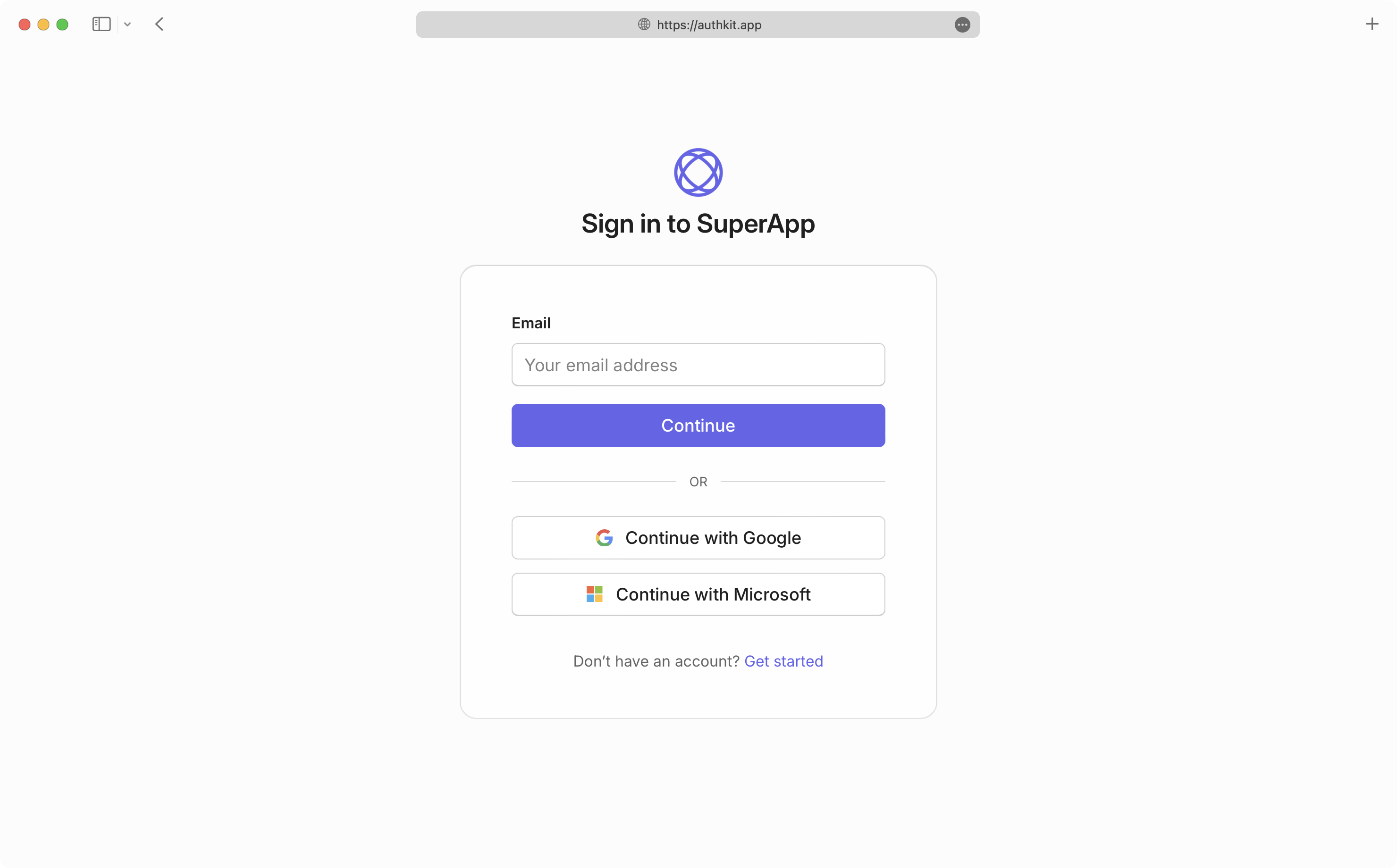
AuthKit is conceptually similar to a Social Login (OAuth) experience, but with the added benefit of being able to authenticate users with any identity provider.
AuthKit sits outside of the application code. When a user initiates a sign-in request, the application redirects them to the AuthKit URL. The user then completes the authentication process with WorkOS before being returned to the application.
The application exchanges the resulting authorization code to retrieve an authenticated User object and handle the session.
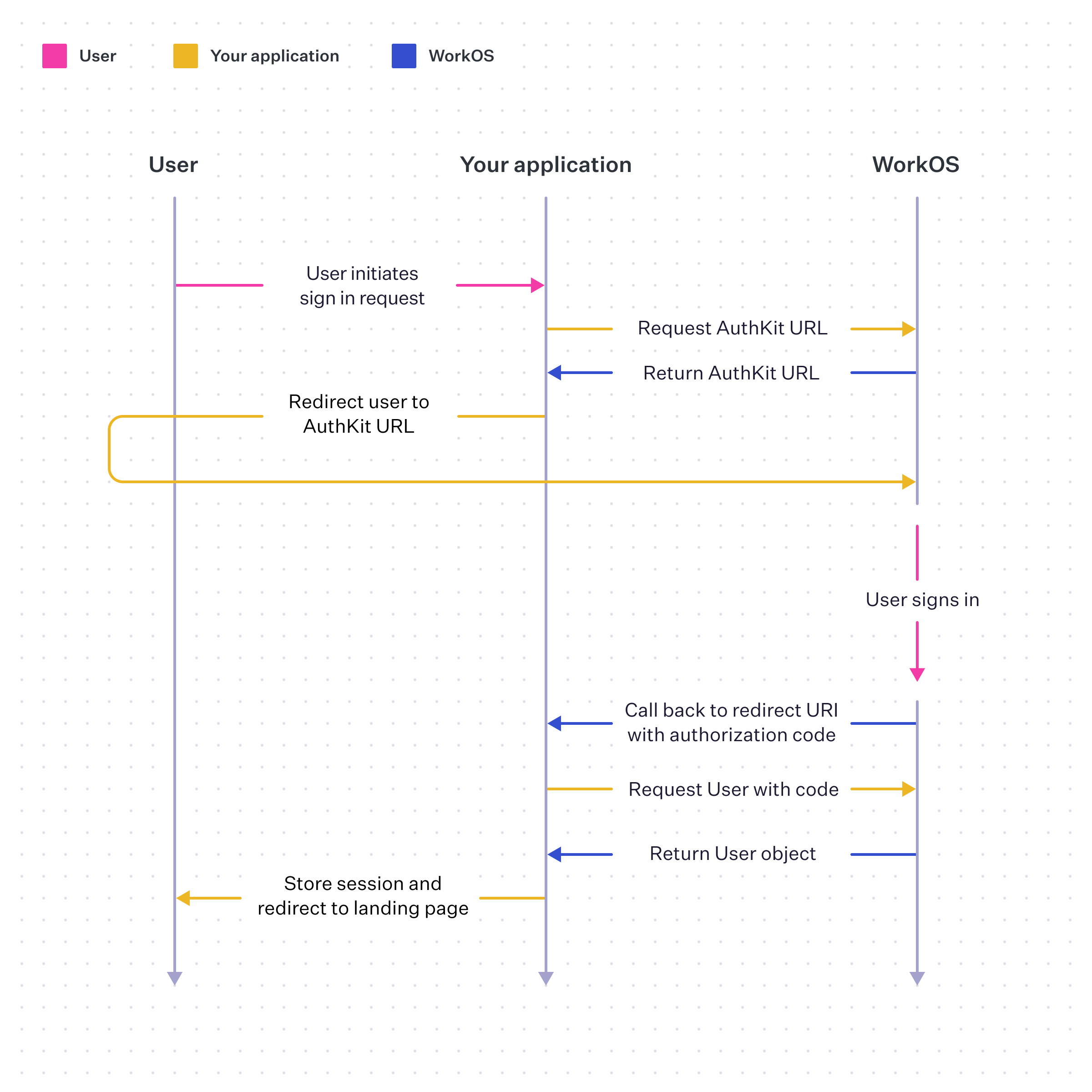
The AuthKit flow abstracts away many of the UX and WorkOS API calling concerns automatically, for more guidance on integrating with AuthKit, see the Quick Start guide.
AuthKit also provides a signup flow for creating users. Available options are determined by the configured authentication methods. If a user’s email address is associated with an SSO connection, they will automatically be redirected to sign up via their IdP.
AuthKit’s hosted UI supports all available authentication methods and automatically adjusts the available options depending on the configured methods in the Authentication section of the WorkOS Dashboard.
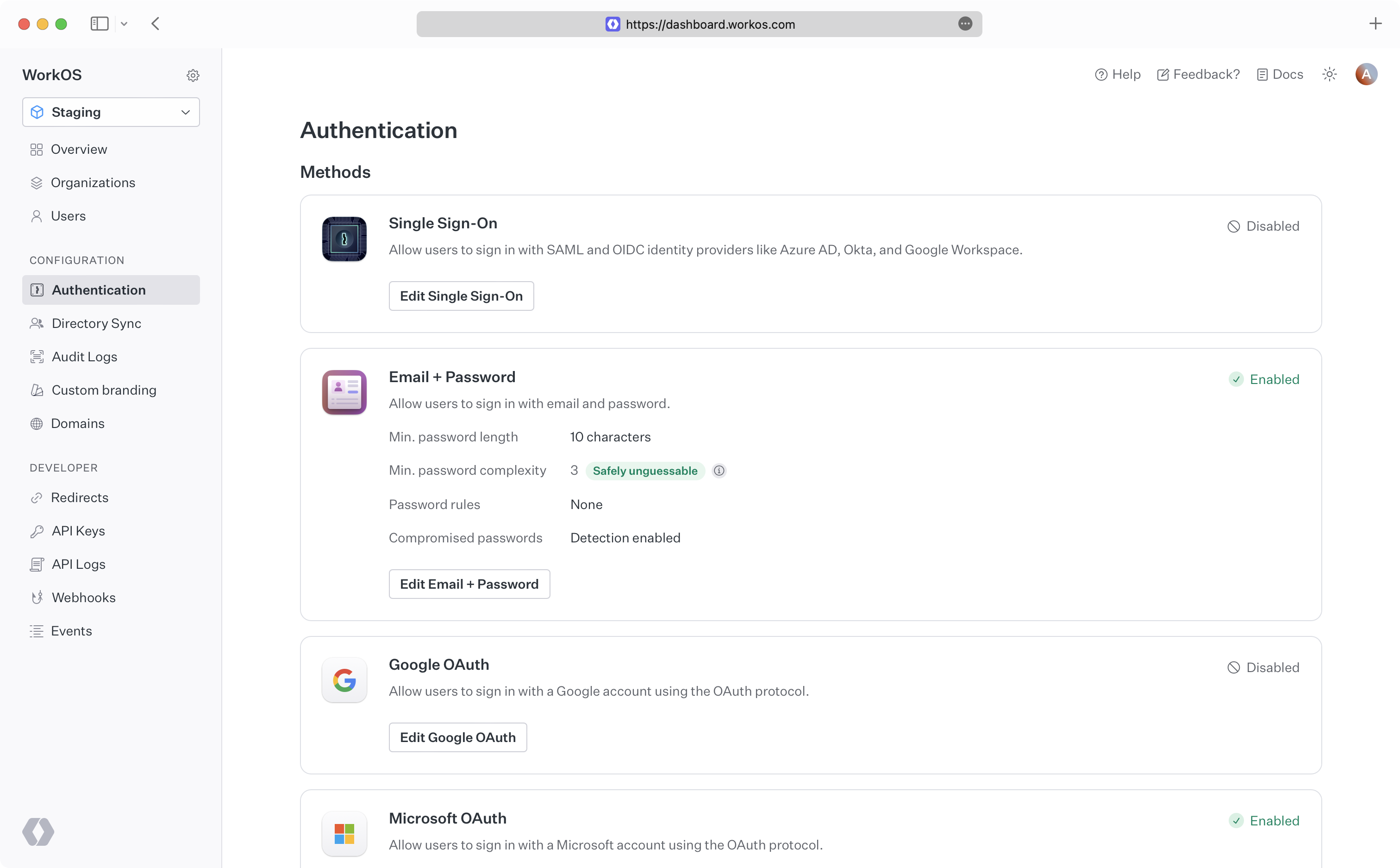
Email + Password authentication is enabled by default, though setup may be required to enable additional methods. See the relevant feature section for more information:
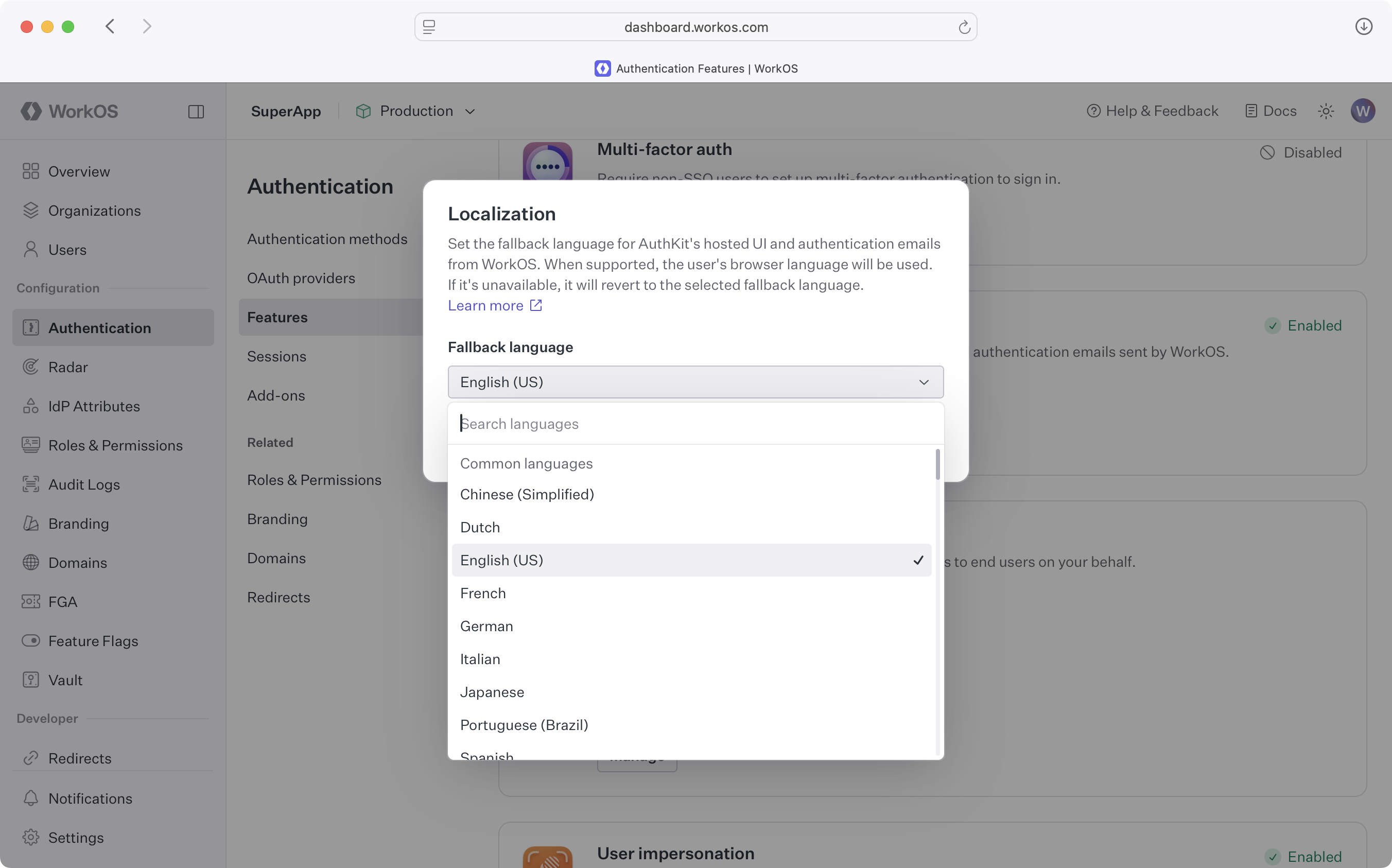
By default, AuthKit’s hosted UI is automatically localized into many global languages. Users are served in the locale that closest matches their device’s OS preference. All user-facing text, including error messages and transactional emails, is translated into the user’s native tongue.
In cases where a user’s browser does not send their preferred locale, or when AuthKit cannot identify a match, the user is served in the environment’s fallback language. The fallback language can be configured in the dashboard in the Authentication > Features > Localization section.
Integration into an app is quick, though the route varies depending on specific requirements:
Add AuthKit to an app and start authenticating users in just a few lines of code. See the quick start guide for more information.
While the hosted solution is the fastest way to get started, build and manage a custom authentication UI via the AuthKit API.
Examples of building custom UI are available on GitHub.