Invite-only signup
Modeling an invite-only application without a public signup page.
Not every application should be open to public signup. In closed-registration or invite-only models, access is granted exclusively through invitations, giving the application owner full control over who can join. This page explains the concepts behind modeling such an application in WorkOS and the trade-offs involved at each stage of growth.
Consider a company that wishes to model an invite-only application requiring an exclusive invite to access. The product is not yet launched, and as the initial release approaches, the plan is to seed memberships from a small subset of organizations and later allow existing users to invite new members from a quota.
The requirements are as follows:
- Signup should be unavailable to the general public.
- An initial set of invites will be sent from a pre-existing mailing list.
- Later, members should be able to invite other members, but only to a given quota.
- Invites should be sent and accepted via email.
In order to implement an invite-only structure, the application must account for the following:
- AuthKit must not expose signup controls to the general public.
- Invites are performed programmatically from a seed script.
- Members can invite other members via an invite UI within the application.
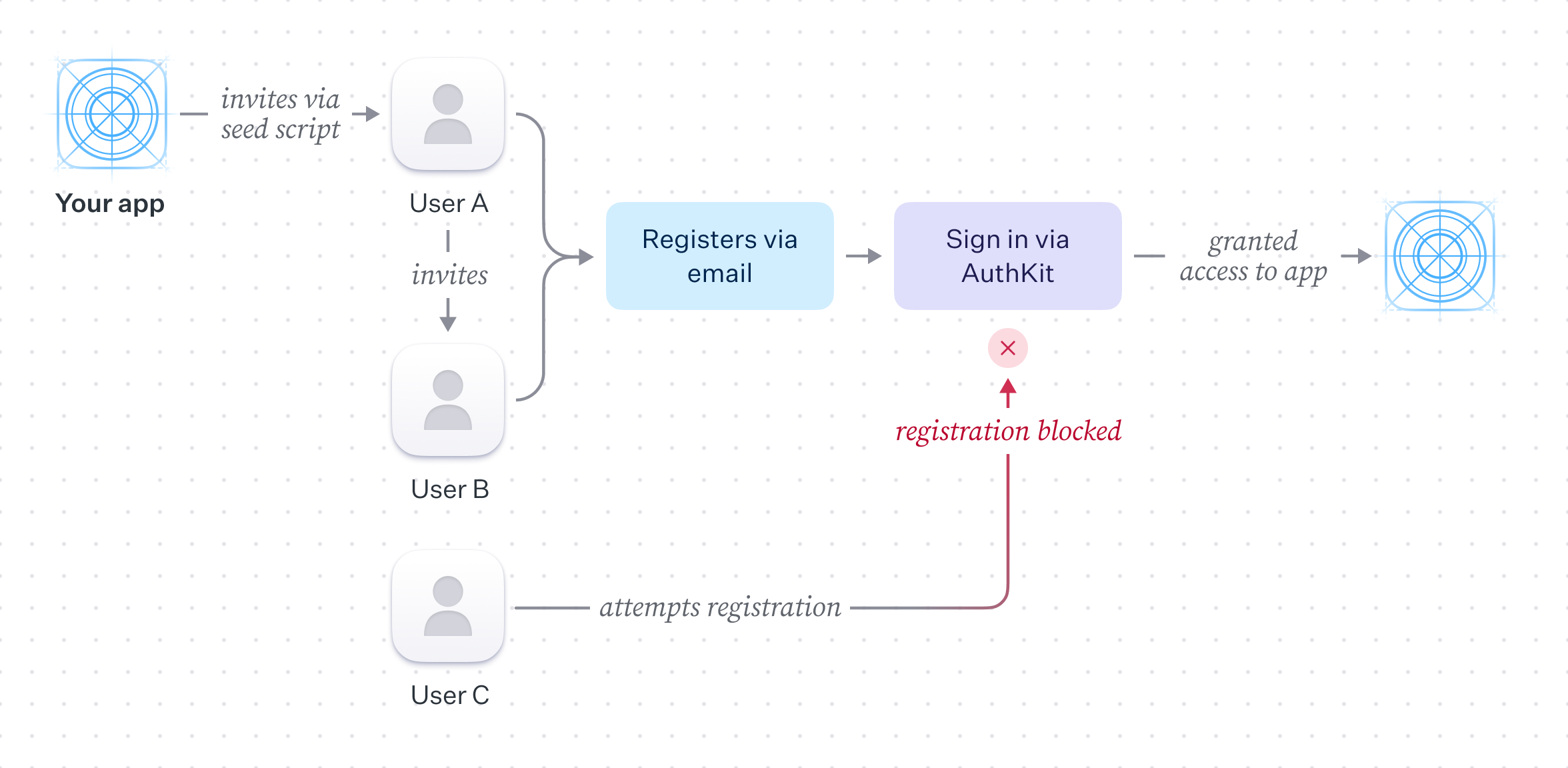
AuthKit provides an out-of-the-box signup form that handles validation UX, makes the necessary WorkOS API calls, and manages the end-to-end lifecycle of the invite flow (emailing of members, accepting of invites, assignment of members to organizations where appropriate).
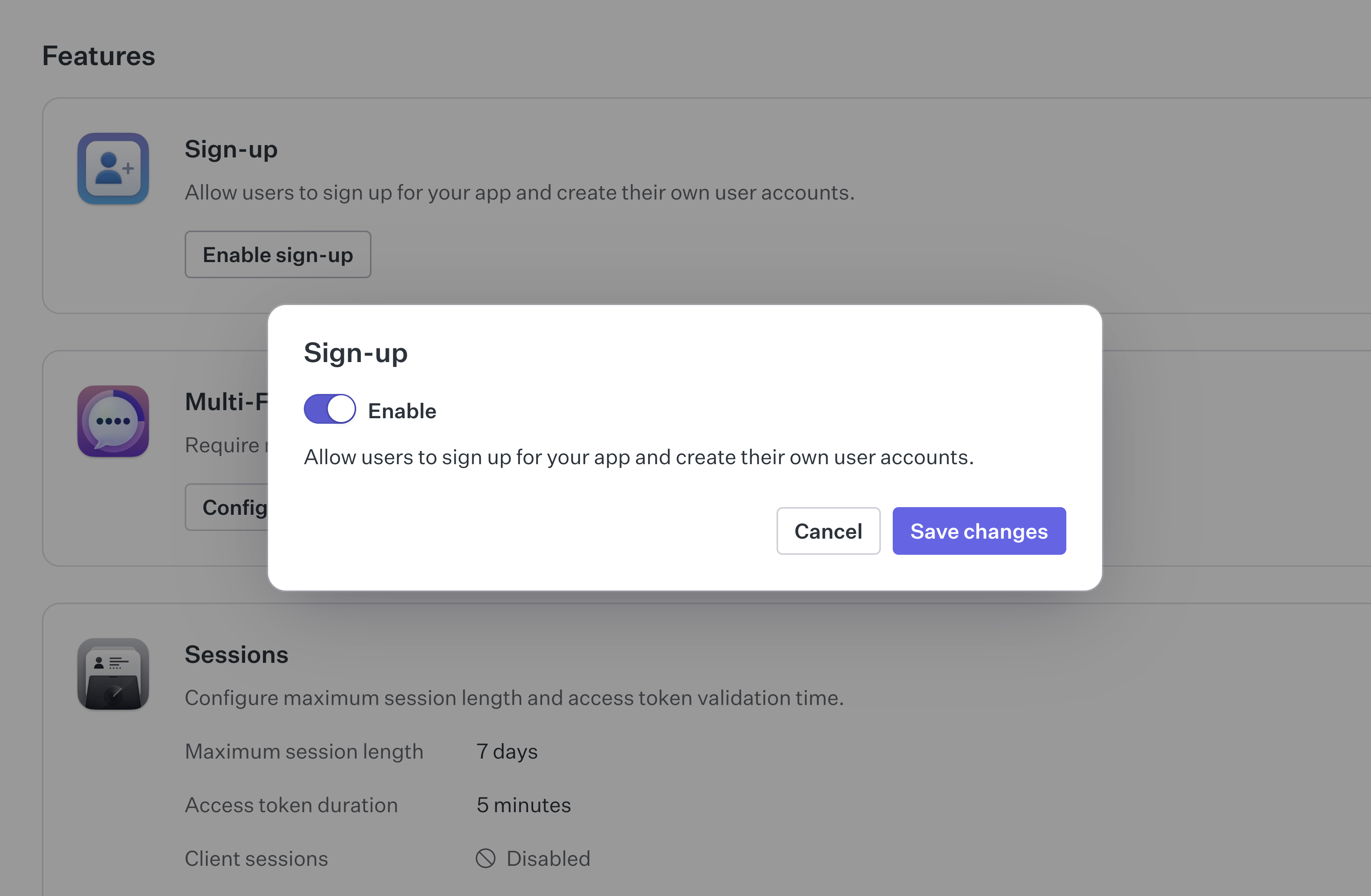
In this scenario, the application should not expose the signup flow to the general public. It can be disabled per environment by toggling the “Sign up” setting in the authentication section of the WorkOS dashboard.
User invitations can be issued in one of two ways:
- Via the WorkOS dashboard.
- Programmatically via the WorkOS SDK.
The simplest way to get started is via the WorkOS dashboard. Invites can be created by navigating to the “Invites” tab in the “Users” section of the dashboard.
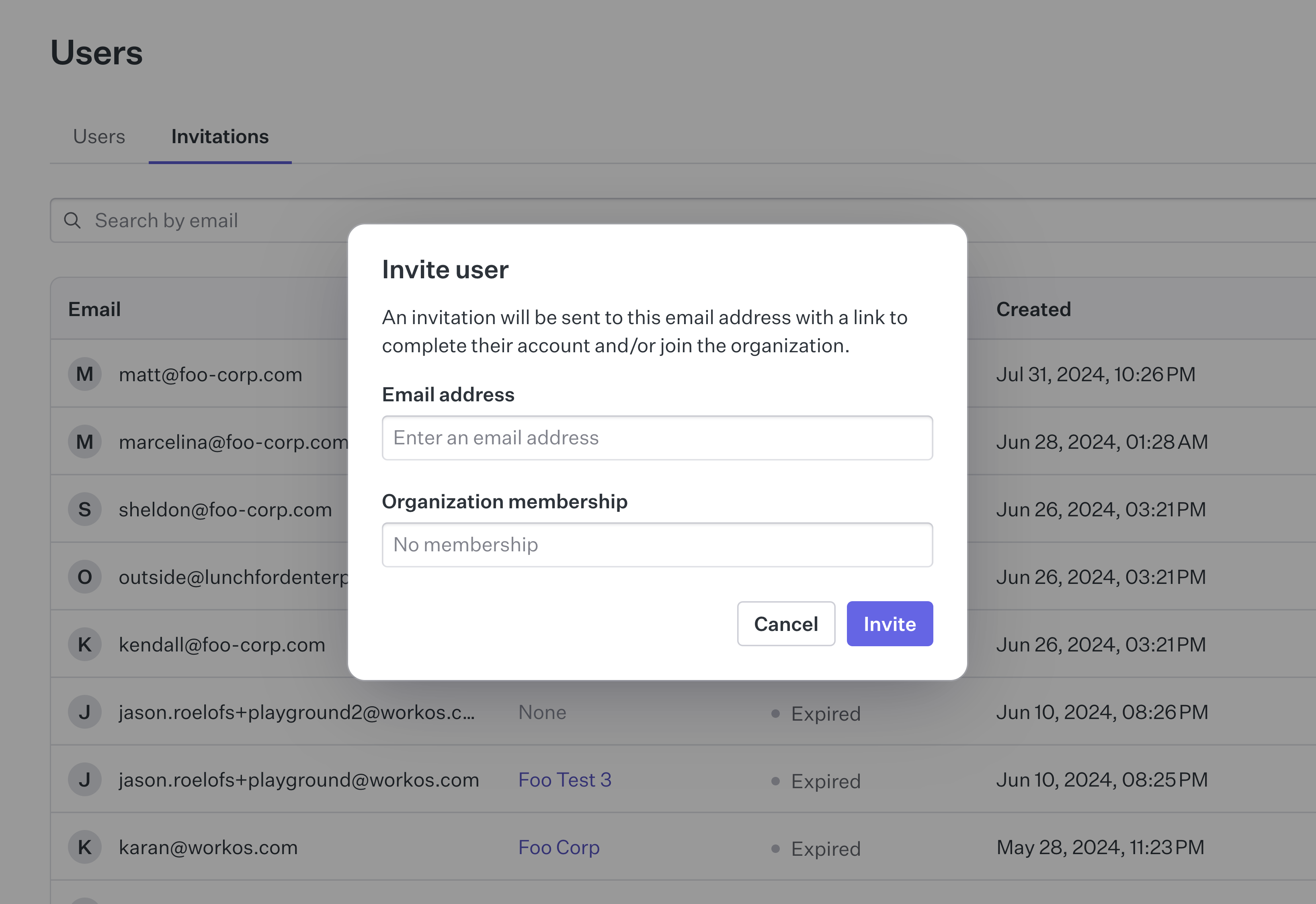
This approach is helpful in the early stages of product development, where there may be a small number of potential users and the product is not yet mature enough to warrant development time implementing custom invitation controls. It is also useful when dealing with support requests from users who are having difficulty.
Manually issuing invitations from the dashboard is neither scalable nor always feasible when a large number of invites need to be issued, or when organic signup growth is desired without a support team. In these cases, using the WorkOS API to perform and manage invitations is the preferred approach.
Typically, an application implements a “seed” script that runs once to issue a set of invites to a pre-existing mailing list. This is done by using the WorkOS API to create an invite for each email address in the list.
Custom invitation controls can be implemented within the application to allow members to invite other members. This generally involves adding a form to the UI to collect the email address of the user to invite, alongside a button to trigger the API call. Additionally, a count of the number of invites a user has made can be stored and checked against a quota to ensure they do not exceed the number of invites they are allowed to send.
A call is then made to the WorkOS API by supplying the target user’s email address as well as the ID of the originating organization. The invited user can then accept the invite via email and move through the steps to gain access to the application.
This scenario covers some high-level considerations for closed-registration applications. By using AuthKit, the WorkOS API, and the dashboard, it is possible to limit signup and implement an invite flow within an application.
In cases where the signup restriction is temporary, signup in AuthKit can be re-enabled via a setting in the WorkOS dashboard.