Sessions
Understand how user sessions, access tokens, and refresh tokens work in AuthKit.
When a user signs in to an application, AuthKit creates a user session. Along with the User object, the authentication response includes an access token and a refresh token. The application uses these tokens to verify that the user’s session is still active.
Each user session can be viewed from within the WorkOS dashboard:
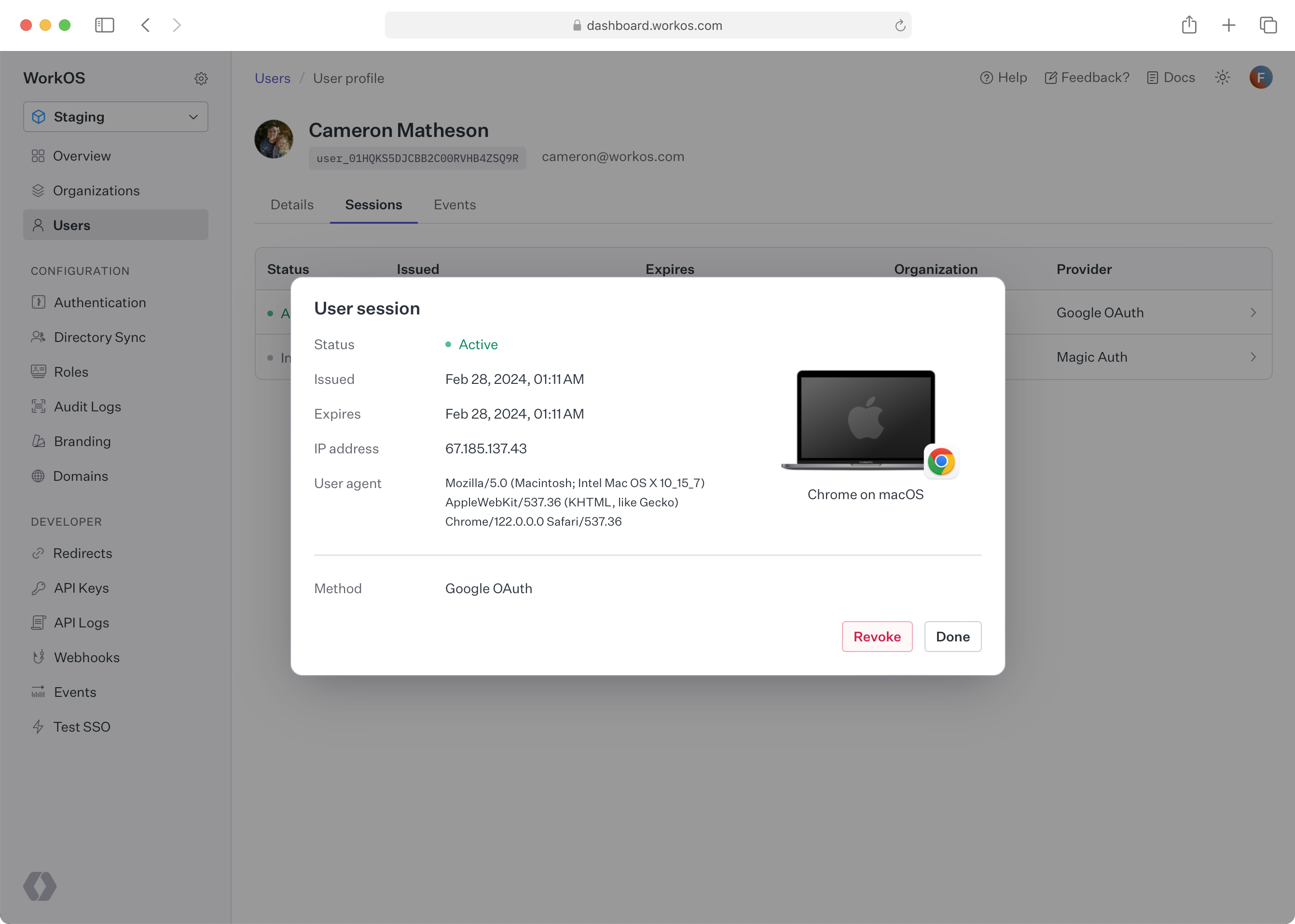
Navigate to Users and select a user. Then, switch to the Sessions tab and click on a user session for more details.
A session begins when a user successfully authenticates. The authentication response includes two tokens:
- Access token: A short-lived JSON Web Token (JWT) that the backend validates on each request. It contains claims about the user, their organization, and their role.
- Refresh token: A longer-lived token used to obtain new access tokens without requiring the user to sign in again.
The lifecycle follows this pattern:
- The user signs in and receives both tokens.
- The access token is sent with each request and validated by the backend.
- When the access token expires, the application uses the refresh token to obtain a new one.
- If the refresh token is also expired or the session has been revoked, the user must sign in again.
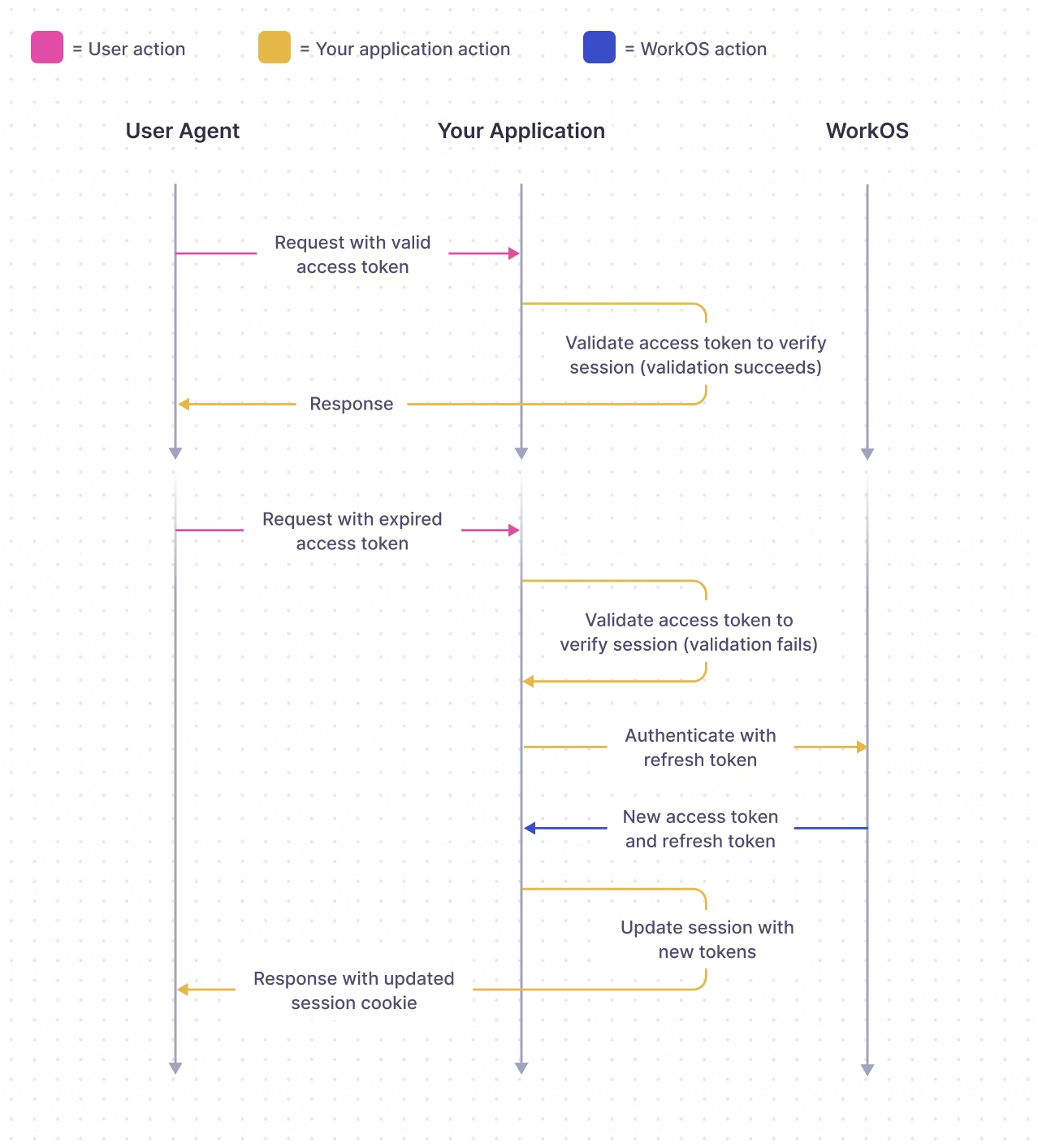
Session behavior is governed by three settings in the WorkOS dashboard: maximum session length, access token duration, and inactivity timeout. These are covered in Configuring Sessions.
The access token JWT includes the following claims:
sub: the WorkOS user IDsid: the session ID (used for signing out)iss:https://api.workos.com/(or your custom auth domain if configured)org_id: the organization selected at sign-in time (if applicable)role: the role of the selected organization membership (only applicable if an organization is selected)permissions: the permissions assigned to the role (if applicable)exp: the standardexpires_atclaim (the token should not be trusted after this time)iat: the standardissued_atclaim
The signing JWKS for validating access tokens can be found at http://api.workos.com/sso/jwks/<clientId>.
Refresh tokens may be rotated after use. When a refresh token is exchanged for a new access token, the response may include a new refresh token. Always replace the old refresh token with the newly returned one to avoid authentication failures.
For implementation details on storing and using tokens, see Integrating Sessions.
- Integrate Sessions – Store, validate, and refresh tokens in your app
- Configure Sessions – Set session duration, timeouts, and sign-out behavior
- Modeling Your App – Architecture patterns for AuthKit integrations
- Session Tokens API Reference – API endpoints for session management