Stripe
Connect a WorkOS account to Stripe to automatically provision access tokens with entitlements and sync organization seat counts.
WorkOS provides two Stripe integrations that help manage billing and access control for B2B applications:
- Stripe Entitlements: Automatically provision access tokens with subscription-based entitlements from Stripe
- Stripe Seat Sync: Automatically sync organization member counts to Stripe billing meters for usage-based billing
Both features use Stripe Connect to connect the WorkOS account to a Stripe account, allowing WorkOS to manage these integrations automatically.
To use either Stripe Entitlements or Stripe Seat Sync, first connect the WorkOS account to Stripe using Stripe Connect.
Navigate to the Authentication section of the WorkOS Dashboard and click Add-ons.
From that page, find the Stripe Add-on and click Enable.
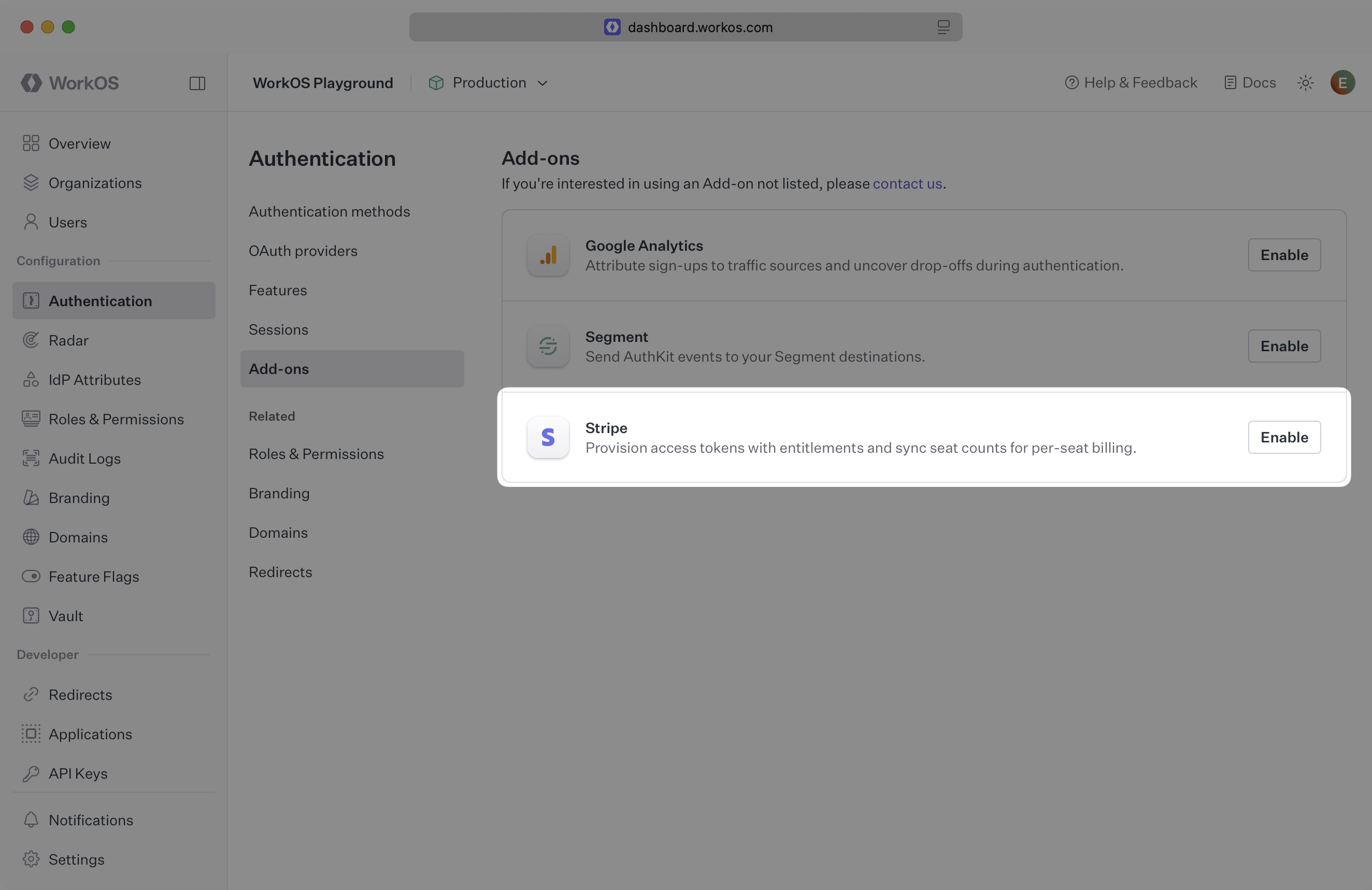
This opens a dialog to pick the Stripe features to use. Click Continue to be directed to Stripe where the connection can be approved. Once that is complete, close the tab.
WorkOS does not currently support connecting to a Stripe Sandbox account. Connect WorkOS to a standard Stripe account, and use Stripe’s test mode for development and testing the integration.
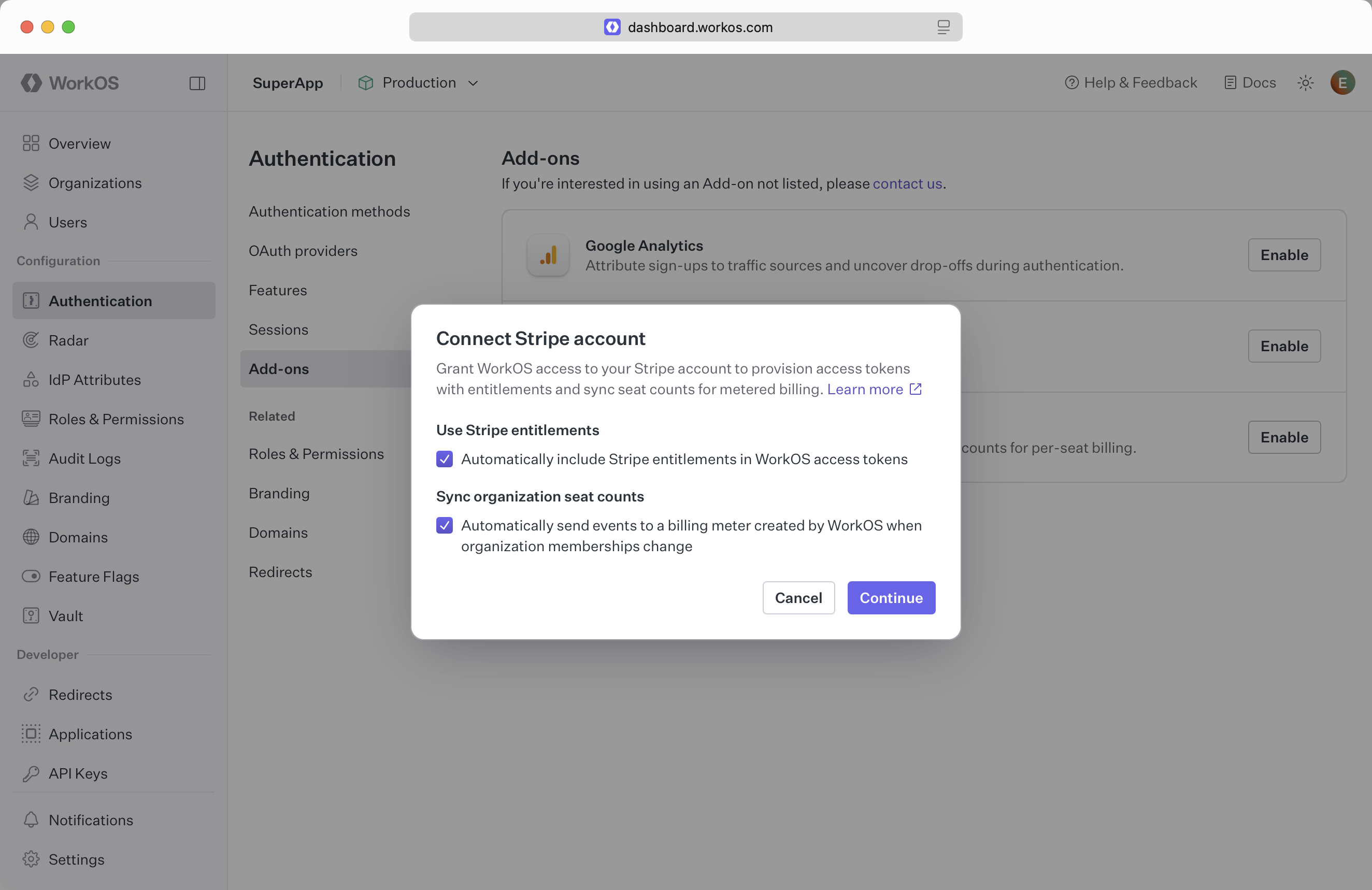
In the connection dialog, choose to enable one or both features:
- Use Stripe entitlements: Include entitlement data in access tokens
- Sync organization seat counts: Send member counts to Stripe billing meters
To disconnect the Stripe account later or toggle features on and off, return to this same section. Click the Manage button to disable features or disconnect entirely.
To use either of these features, set the Stripe customer ID on each WorkOS organization.
With a WorkOS organization ID and a Stripe customer ID in hand, set the Stripe customer ID for the organization. One way to handle this is to create a Stripe customer and then set the created Stripe customer ID on the WorkOS organization. This can be done via the WorkOS API or SDK. Here is an example using the SDK:
Entitlements provision an account in the application with specific features or functionality based on the subscription plan a user is on. For example, an “Enterprise” plan might allow users to access certain features like Audit Logs, while a “Basic” plan does not.
The WorkOS Entitlements integration makes it straightforward to get Stripe’s entitlement information into the application without needing to listen to Stripe webhooks or explicitly track them.
The access token now includes the entitlements claim, containing the user’s entitlements. Use this information to gate access to features in the application.
Entitlements added mid-cycle will appear in the next Stripe billing cycle or when a new subscription is created, per Stripe’s billing logic.
Entitlements appear in the access token the next time the user logs in or the session is refreshed. Manually refresh the session after the user has completed their subscription purchase. Here is an example in Express:
Stripe Seat Sync automatically sends active organization member counts to Stripe as billing meter events under Usage-based billing, enabling usage-based billing based on the number of seats (members) in each organization.
When Stripe Seat Sync is enabled:
- WorkOS creates a billing meter in the Stripe account called “User Seat Count” with the event name
workos_seat_count - Whenever a member is added, removed, deactivated, or activated from an organization, WorkOS automatically sends a meter event to Stripe with the updated seat count
- This meter can be used in Stripe to create usage-based pricing based on the number of active seats
The meter uses Stripe’s “last” aggregation method, which means Stripe will bill based on the most recent seat count reported during each billing period.
Once enabled, WorkOS automatically sends meter events to Stripe whenever organization memberships change. From here:
- View the meter events in the Stripe Dashboard under Billing → Meters
- Create pricing models that bill based on the
workos_seat_countmeter - Use the meter in subscription items to charge customers based on their current seat count
The meter event includes:
- Event name:
workos_seat_count - Customer ID: The Stripe customer ID associated with the organization
- Value: The current number of active members in the organization
No additional code is required in the application – WorkOS handles all meter event reporting automatically as members join or leave organizations.