SSO with contractors
Enforcing organization SSO access with external contractors.
This scenario outlines the considerations, concepts, and best practices for configuring and enforcing SSO sign-in for all members of an organization. It also covers how to enforce these same constraints on external contractors who may need access to company resources but are not permanent members.
The application should be available to logged in users only. Each user is typically assigned to a single organization and will be able to collaborate with other users within that organization.
- The majority of users collaborate within the same organization.
- Permanent members of the organization use an email address that matches the organization’s domain.
- Organization members are required to authenticate using SSO.
- External contractors and collaborators are also required to authenticate using SSO.
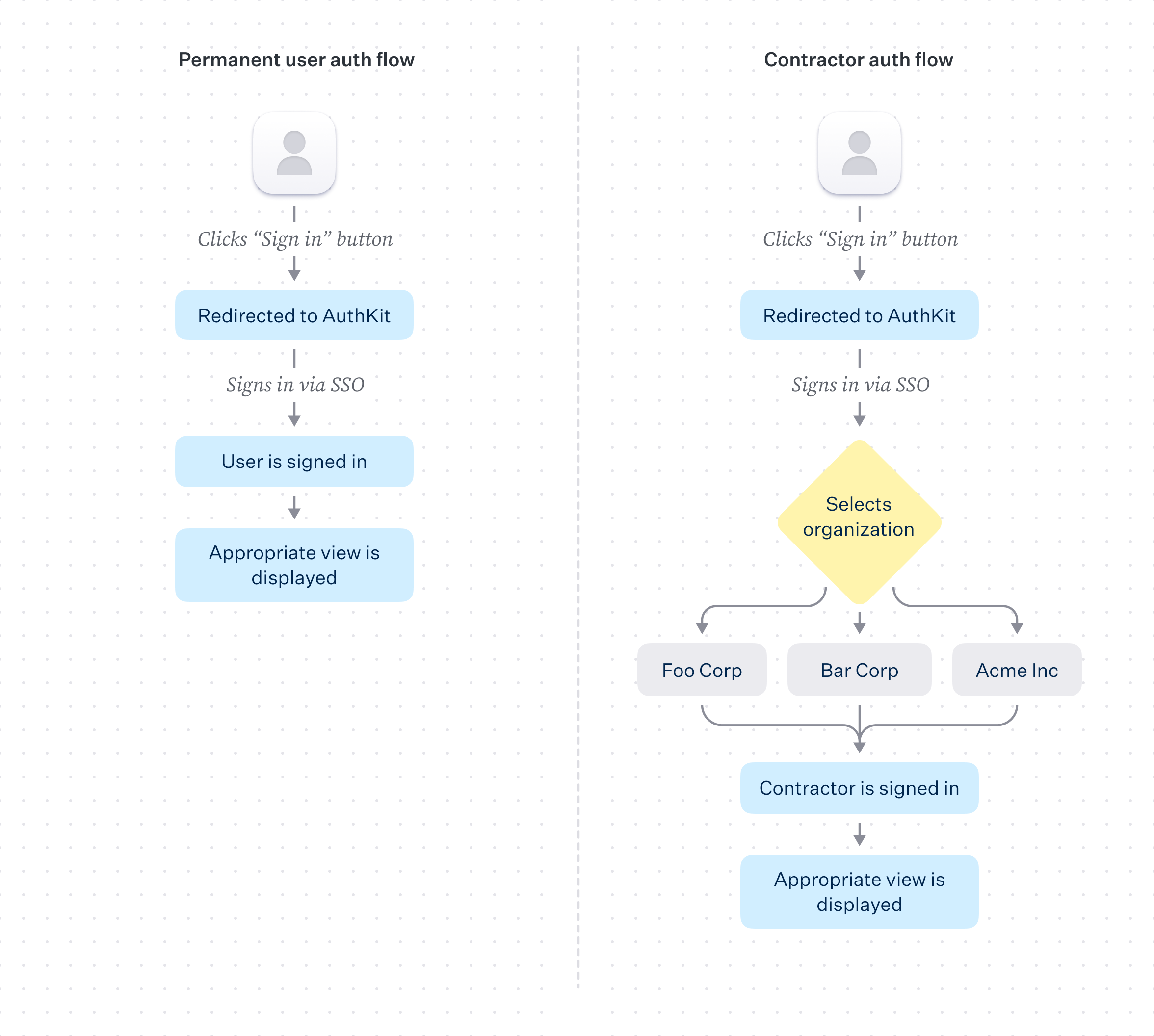
Adding SSO to an application is a straightforward process when using AuthKit, and can mostly be done via the WorkOS dashboard. The steps involved are:
1. Add a new SSO connection to an organization in the dashboard
2. Configure a callback endpoint in the application
3. Add the endpoint URL as a redirect URI in the WorkOS dashboard
4. Handle the user session and grant access to the application
With an active SSO connection established, it becomes possible to enable it as an authentication method in the WorkOS Dashboard. This is achieved by visiting the authentication settings view for the environment and enabling Single Sign-On.
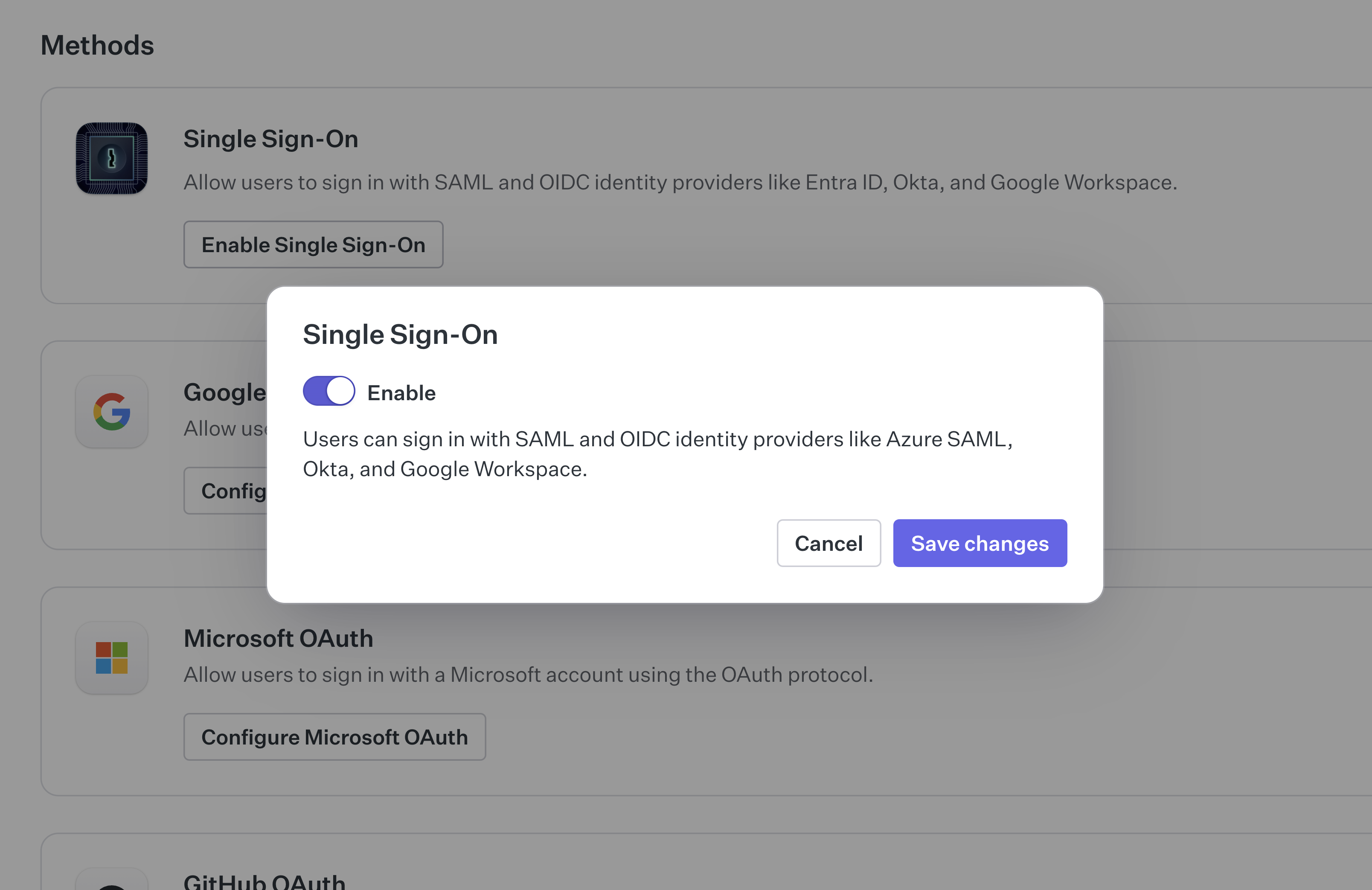
This allows users to sign in with AuthKit using SSO, but does not enforce it as a requirement. To do so, an authentication policy needs to be configured for the organization.
When the user logs in, they will move through the following flow:
1. User clicks “Sign in” button
2. User is redirected to AuthKit, where they sign via SSO
3. User is redirected from AuthKit to the redirect URI configured in the WorkOS dashboard
4. User is authenticated via code presented in the redirect_uri
5. Access is provisioned by the application
More in-depth information on configuration can be found in the Single Sign-On section, with AuthKit implementation guidance available in the Quick Start guide.
An authentication policy is a way to enforce specific authentication methods during sign-in. Authentication policies typically apply to all users attempting to access the organization.
There are several approaches to enforcing SSO within an organization, including domain verification and enforcing specific policies based on a user’s email domain. For simplicity, this scenario covers a blanket authentication policy that applies to all users attempting to sign in, regardless of verified domain existence.
An authentication policy allows the organization to:
- Enforce that SSO is used by all users accessing the organization
- Enforce an MFA requirement for all users accessing the organization
Authentication policies are applied in the organization settings view of the WorkOS Dashboard.
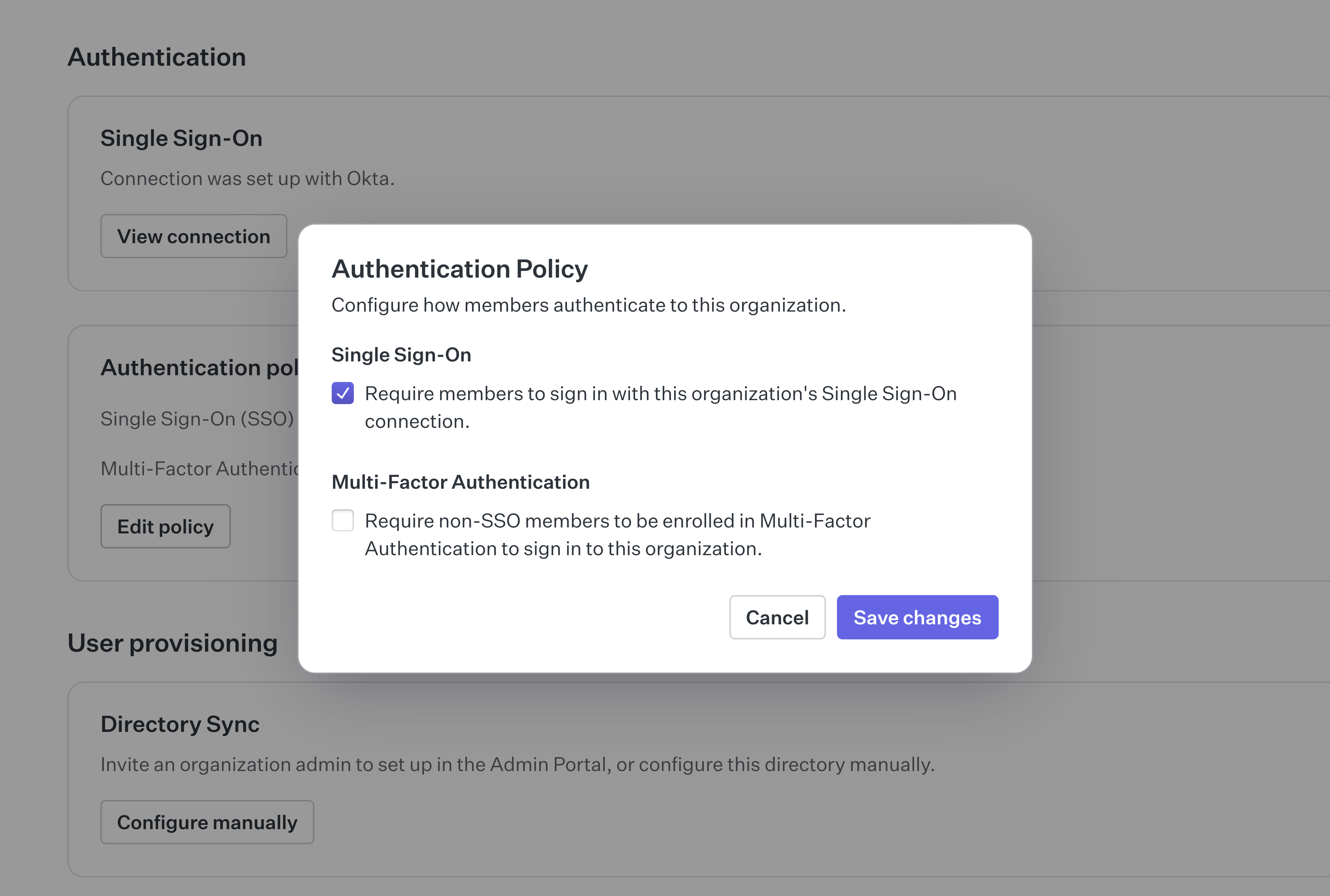
After SSO enforcement is added to the policy, all users are required to sign in using SSO. This applies to all users, including external contractors. For this to work with external contractors, they need to be added to the organization’s IdP.
In cases where external contractors cannot be added to the organization’s IdP, an MFA requirement can serve as an enforcement fallback. This is sometimes a reasonable compromise when many contractors rotate in and out of the organization.
At this point, the organization is set up to both accept SSO connections and enforce their use for all users, including external contractors. In the contractor case, they need to be added to the organization’s IdP or otherwise fall back to using MFA.
This scenario does not cover the full range of access constraints that can be applied to an organization following domain verification. For more information on this topic, see the Access Constraints section of the documentation.