AuthKit
Easy to use authentication platform designed to provide a flexible, secure, and fast integration.
Quickly integrate AuthKit in your project with the AI-powered WorkOS CLI.
What you’ll build
In this guide, you’ll add a complete hosted authentication flow to your application using AuthKit. By the end, you’ll have signup, sign-in, and session management working end-to-end.
For additional implementation patterns, see the example apps.
Before getting started
Make sure you have:
- A WorkOS account
- Your WorkOS API Key and Client ID
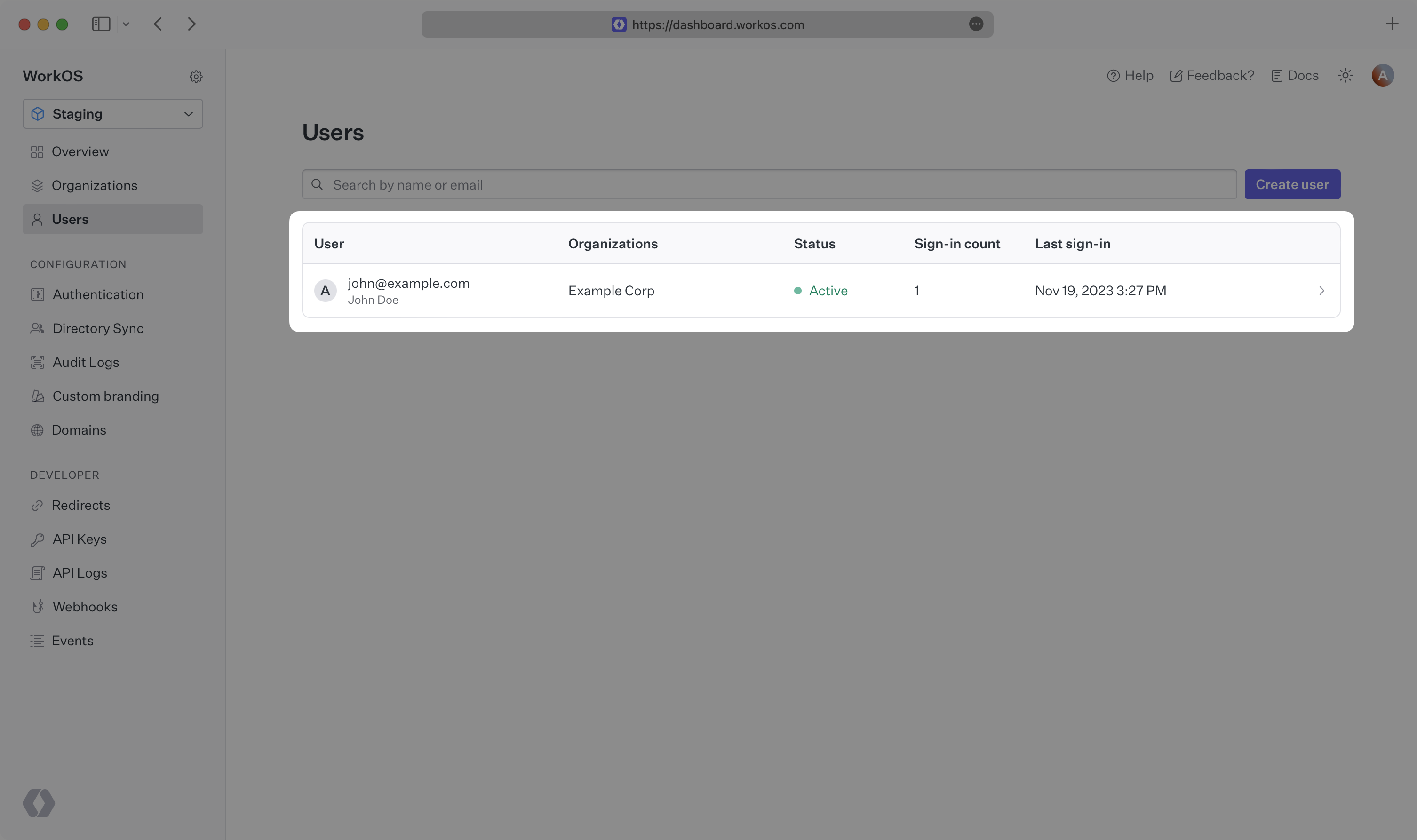
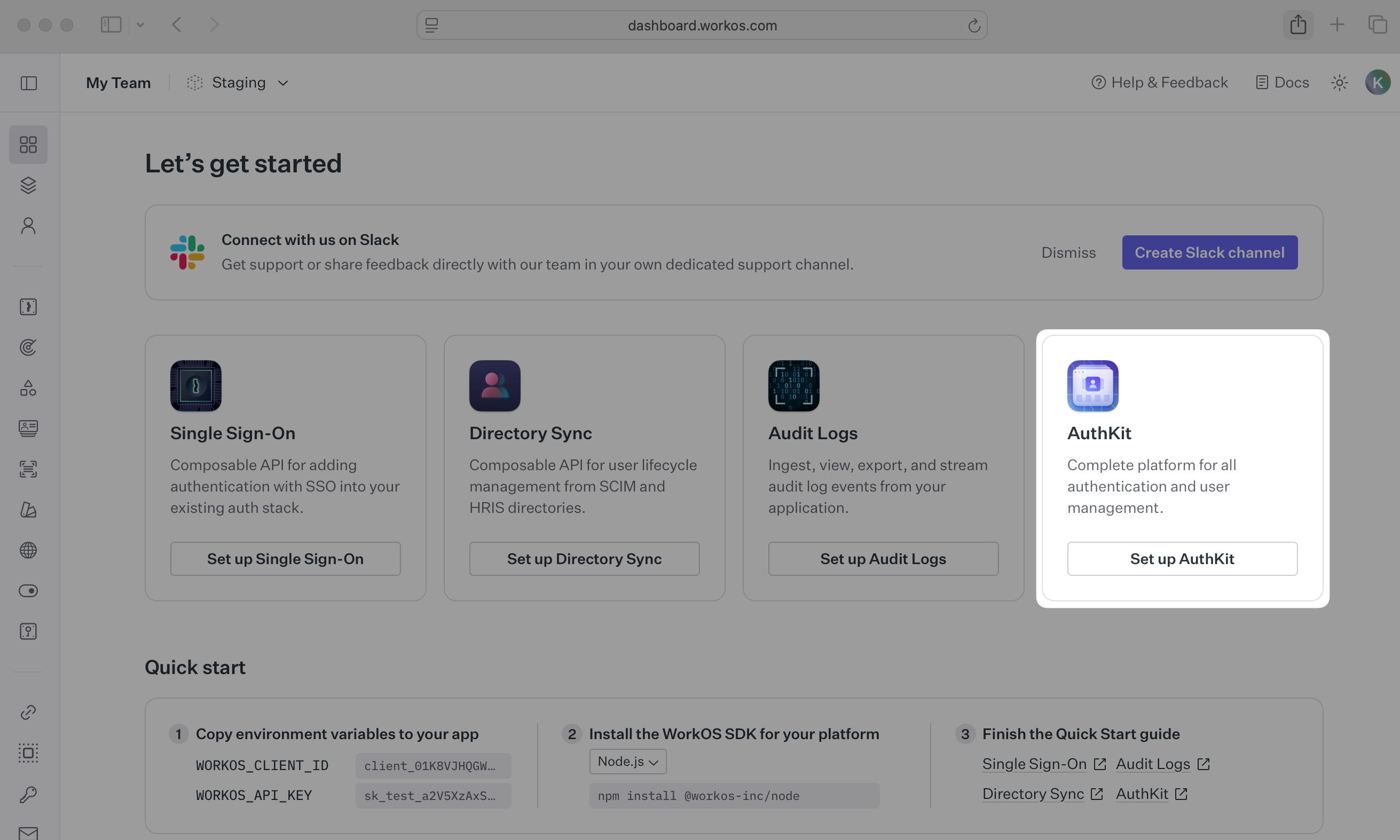
Activate AuthKit in your WorkOS Dashboard if you haven’t already. In the Overview section, click the Set up AuthKit button and follow the instructions.
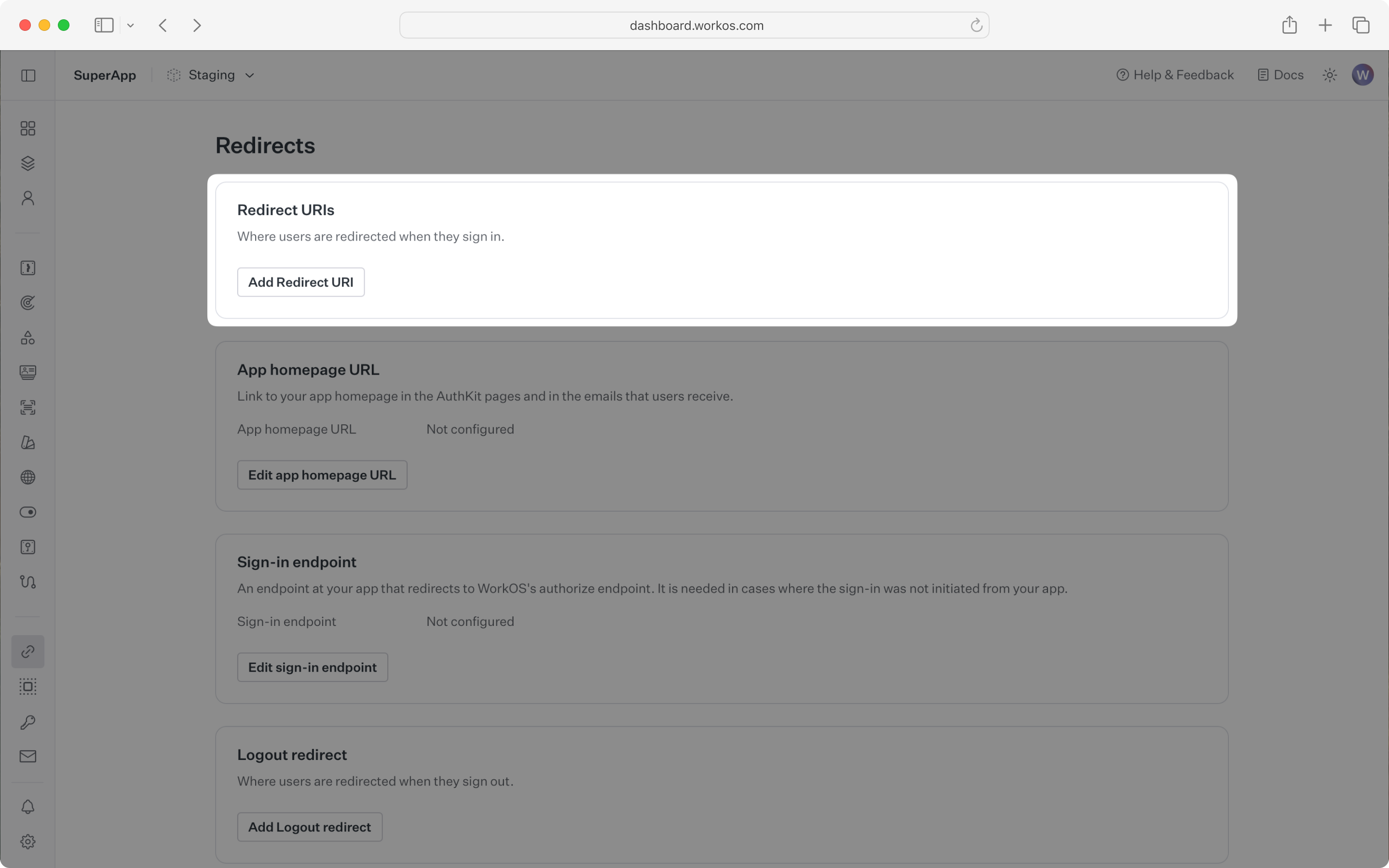
A redirect URI is a callback endpoint that WorkOS redirects to after a user has authenticated. This endpoint exchanges the authorization code returned by WorkOS for an authenticated User object.
Set a redirect URI in the Redirects section of the WorkOS Dashboard. Use http://localhost:3000/callback as the default.
WorkOS supports using wildcard characters in Redirect URIs, but not for the default Redirect URI. More information about wildcard characters support can be found in the Redirect URIs guide.
When users sign out of their application, they will be redirected to your app’s Sign-out redirect location which is configured in the same dashboard area.
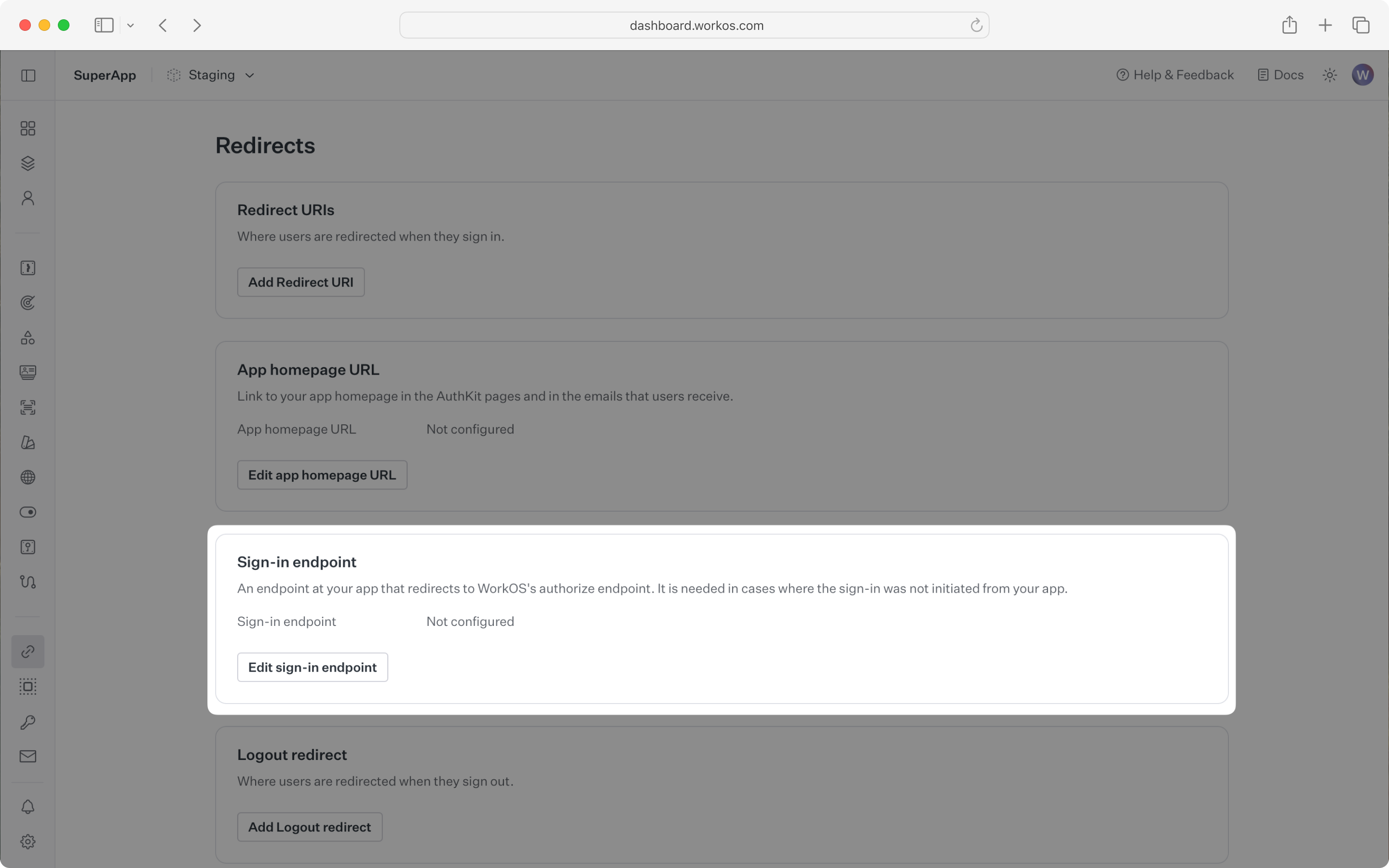
Sign-in requests should originate from your application. In some instances, requests may not begin at your app. For example, some users might bookmark the hosted sign-in page or they might be led directly to the hosted sign-in page when clicking on a password reset link in an email.
In these cases, AuthKit detects when a sign-in request did not originate at your application and redirects to your application’s sign-in endpoint. This is an endpoint that you define at your application that redirects users to sign in using AuthKit.
Configure the sign-in endpoint from the Redirects section of the WorkOS dashboard.
To make calls to WorkOS, provide the API key and the client ID. Store these values as managed secrets and pass them to the SDKs either as environment variables or directly in your app’s configuration depending on your preferences.
The code examples use your staging API keys when signed in
To demonstrate AuthKit, we only need a simple page with links to logging in and out.
Clicking the “Sign in” and “Sign out” links should invoke actions on our server, which we’ll set up next.
Create a sign-in endpoint to direct users to sign in (or sign up) using AuthKit before redirecting them back to your application. This endpoint generates an AuthKit authorization URL server side and redirects the user to it.
Use the optional state parameter to encode arbitrary information to help restore application state between redirects.
This guide uses the sinatra web server for Ruby. For more information on setting up Sinatra, see the Sinatra documentation.
WorkOS will redirect to your Redirect URI if there is an issue generating an authorization URL. Read our API Reference for more details.
Next, add the callback endpoint (referenced in Configure a redirect URI) to exchange the authorization code (valid for 10 minutes) for an authenticated User object.
Session management helper methods are included in our SDKs to make integration easy. For security reasons, sessions are automatically “sealed”, meaning they are encrypted with a strong password.
The SDK requires you to set a strong password to encrypt cookies. This password must be 32 characters long. You can generate a secure password by using the 1Password generator or the openssl library via the command line:
Add it to the environment variables file.
Use the SDK to authenticate the user and return a password-protected session. The refresh token is considered sensitive as it can be used to re-authenticate, so encrypt the session before storing it in a session cookie.
Present user information on the frontend. Update the default route to read the session cookie and display user information:
Update the index page to present this info.
Use a helper method to specify which routes should be protected. If the session has expired, use the SDK to attempt to generate a new one.
Call the helper method in the route that should only be accessible to logged-in users.
Finally, ensure the user can end their session by redirecting them to the logout URL. After successfully signing out, the user will be redirected to your app’s Sign-out redirect location, which is configured in the WorkOS dashboard.
If you haven’t configured a Sign-out redirect in the WorkOS dashboard, users will see an error when logging out.
Start your server with ruby server.rb, navigate to localhost:3000, and sign up for an account.
Sign in with the newly created credentials and verify the user appears in the Users section of the WorkOS Dashboard.